Tools Overview
The Tools entry at the bottom of the main menu collects every built-in app and utility.
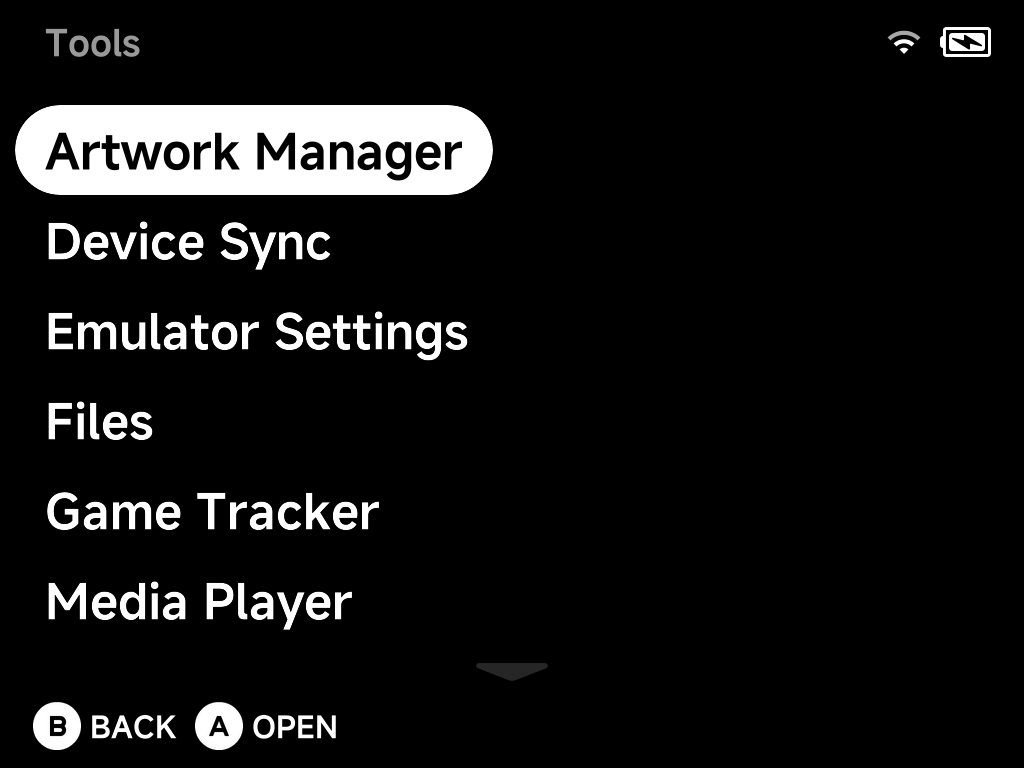
| Tool | What it does |
|---|---|
| Artwork Manager | Fetch custom mix box art for your ROMs |
| Device Sync | Sync saves, states, settings and ROMs across devices |
| Emulator Settings | Configure each system's emulator options |
| Files | Dual-pane file manager for the SD card |
| Game Tracker | Play-time statistics per game |
| Media Player | Video player with audio/subtitle switching |
| Music Player | Music, internet radio and podcasts |
| PortMaster | Community game ports (installed via Xtras) |
| RetroAchievements | Achievements, fully offline-capable |
| Settings | Display, audio, network, input, Simple Mode and more — see the Settings page |
| Xtras | On-device add-on store |
Tools installed from the Xtras store — such as PortMaster — appear in this menu too.
Installing community paks
Community paks built for NextUI still work: copy the <Name>.pak folder
into /Tools on the SD card (or /Emus for an emulator pak) and it appears
in this menu — follow each pak's own installation steps.
Some paks' instructions say to place them inside a platform folder (e.g.
Tools/tg5040/<Name>.pak) — that layout works too, and for paks whose
scripts reference the platform path internally it is required, so when a
pak's README says to use it, do. The platform folder name depends on your
device:
| Device | Platform folder |
|---|---|
| Brick / Brick Hammer / Brick Pro / Smart Pro | tg5040 |
| Smart Pro S | tg5050 |
If the same pak exists in both places, the flat copy (Tools/<Name>.pak)
wins.
Warning
Don't give your pak the same name as a tool or emulator shipped with NX
Redux — same-named paks in /Tools and /Emus are treated as NX Redux
leftovers and removed on every update. And remember these paks target
NextUI, not NX Redux — see the support notes in
Additional Emulators.