Appearance
UI customization — colors (with live swatches), animations, and which entries the main menu shows.
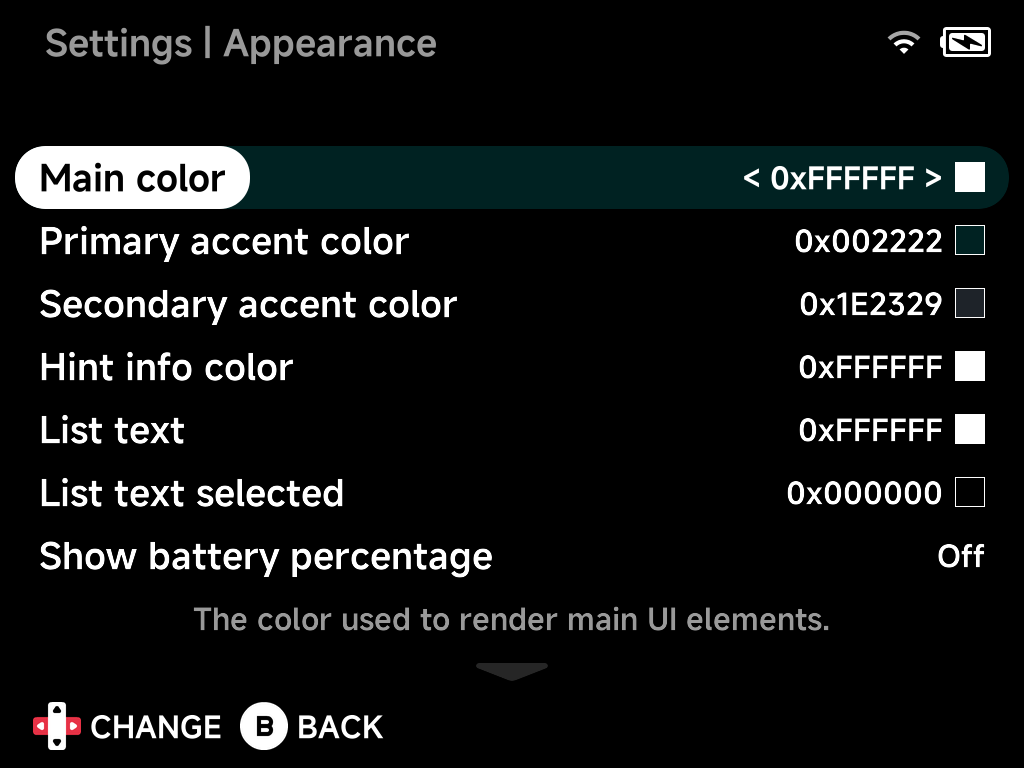
Main color
The color used to render main UI elements.
Primary accent color
The color used to highlight important things in the UI.
Secondary accent color
A secondary highlight color.
Hint info color
Color for button hints and info text.
List text
List text color.
List text selected
Color of the selected list entry's text.
Show battery percentage
Show the battery level as a percentage in the status pill.
Show menu animations
Enable or disable menu animations.
Show menu transitions
Enable or disable the animated slide transitions between screens.
Game art corner radius
Radius of the rounded corners on game art.
Game art width
Percentage of the screen width used for game art.
Show folder names at root
Show folder names in the root directory.
Show Recents
Show the "Recently Played" entry in the main menu.
Show Tools
Show the "Tools" entry in the main menu.
Show Collections
Show the "Collections" entry in the main menu.
Show Emulators
Show the emulator (system) folders in the main menu — turn this off for a minimal menu of just your pinned games and shortcuts.
Show game art
Show game artwork in the main menu.
Use folder background for ROMs
Use the emulator's background image behind its game list.
Bootlogo
Change the device boot logo.
Reset to defaults
Resets all options on this page to their default values.