Game Context Menu
Press MENU on a highlighted game in any game list to open its context menu.
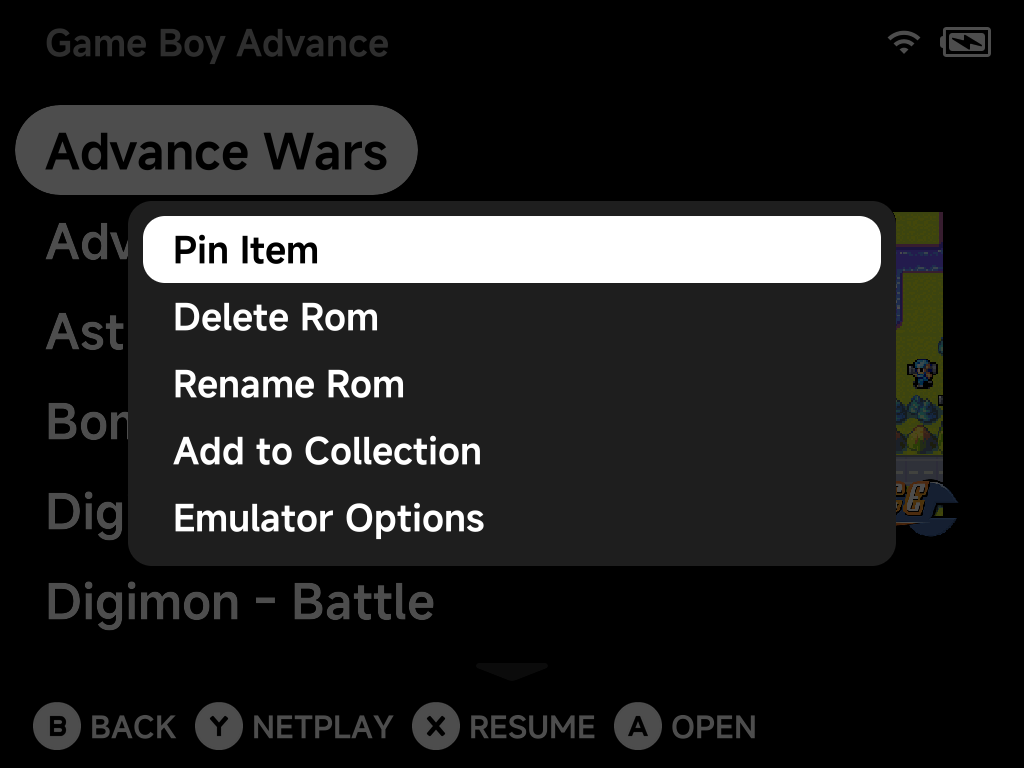
Depending on the game, the menu offers:
- Pin Item / Unpin — pin the game to the main menu for one-press access.
- Delete Rom — remove the game (with a confirmation dialog).
- Rename Rom — rename a game; its box art, saves and save states are renamed along with it.
- Add to Collection — add the game to an existing collection or create a new one on the spot.
- Remove from Recently Played — clear the game from your recent list.
- Emulator Options — edit per-game emulator options, overriding the system-wide defaults.
- Fetch Box Art — download box art for this game in the background (shown when the game has none yet).
- Refresh Roms — rescan the ROMs list.
Bulk box art
To fetch artwork for many games at once, use the Artwork Manager instead of fetching one game at a time.