FN Switch
What flipping the FN switch does. Each option applies while the switch
is toggled and reverts when you flip it back; display options can be left
Unchanged. It's a quick "night mode": muted volume, dimmed screen, LEDs
off — one flick.
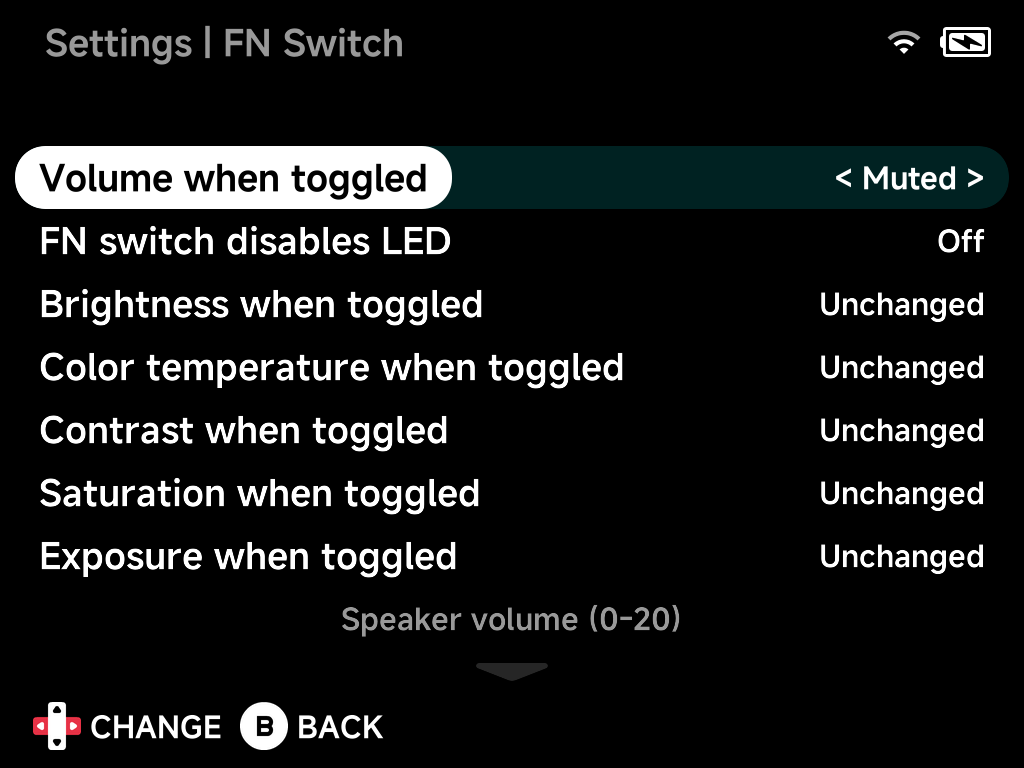
Volume when toggled
Speaker volume while toggled, 0–20 (Muted for silence).
FN switch disables LED
Also turn the LEDs off while toggled.
Brightness when toggled
Display brightness while toggled, 0–10, or Unchanged.
Color temperature when toggled
Color temperature while toggled, 0–40, or Unchanged.
(Hardware-dependent.)
Contrast when toggled
Contrast enhancement while toggled, -4–5, or Unchanged.
(Hardware-dependent.)
Saturation when toggled
Saturation enhancement while toggled, -5–5, or Unchanged.
(Hardware-dependent.)
Exposure when toggled
Exposure enhancement while toggled, -4–5, or Unchanged.
(Hardware-dependent.)
Turbo fire A / B / X / Y / L1 / L2 / R1 / R2
Eight separate toggles — while the FN switch is on, the enabled buttons auto-repeat (turbo fire) in games.
Dpad mode when toggled
On devices without analog sticks: Dpad (default), Joystick (the D-pad
acts exclusively as an analog stick), or Both (D-pad sends both inputs at
once) — useful for games that expect a stick.
Reset to defaults
Resets all options on this page to their default values.