Five-Game Menu
Turn the main menu into a tiny, distraction-free list of just the games you actually play — pick up, pick one of five, play. Inspired by the "Five Game Handheld" idea.
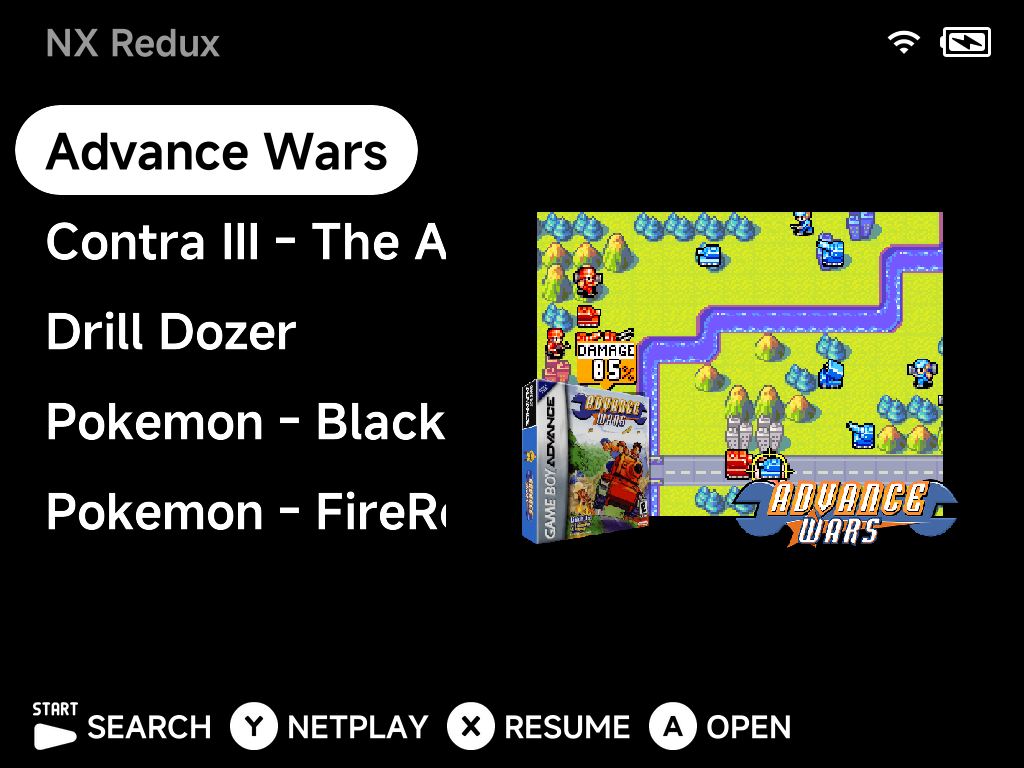
The whole menu is your hand-picked games with their box art — no system folders, no Recently Played, no Tools. It takes two steps:
1. Pin your games
For each game you want on the menu, press MENU on it in its game list and
choose Pin Item (see the context menu). Pinned games
appear directly on the main menu.
2. Hide everything else
In Settings → Appearance, turn off:
- Show Recents
- Show Tools
- Show Collections
- Show Emulators
That removes the Recently Played entry, the Tools entry, Collections, and all the system folders — leaving only your pinned games.
Getting back to Tools
Nothing is locked away: press MENU on the main menu and the context menu
still offers Tools —
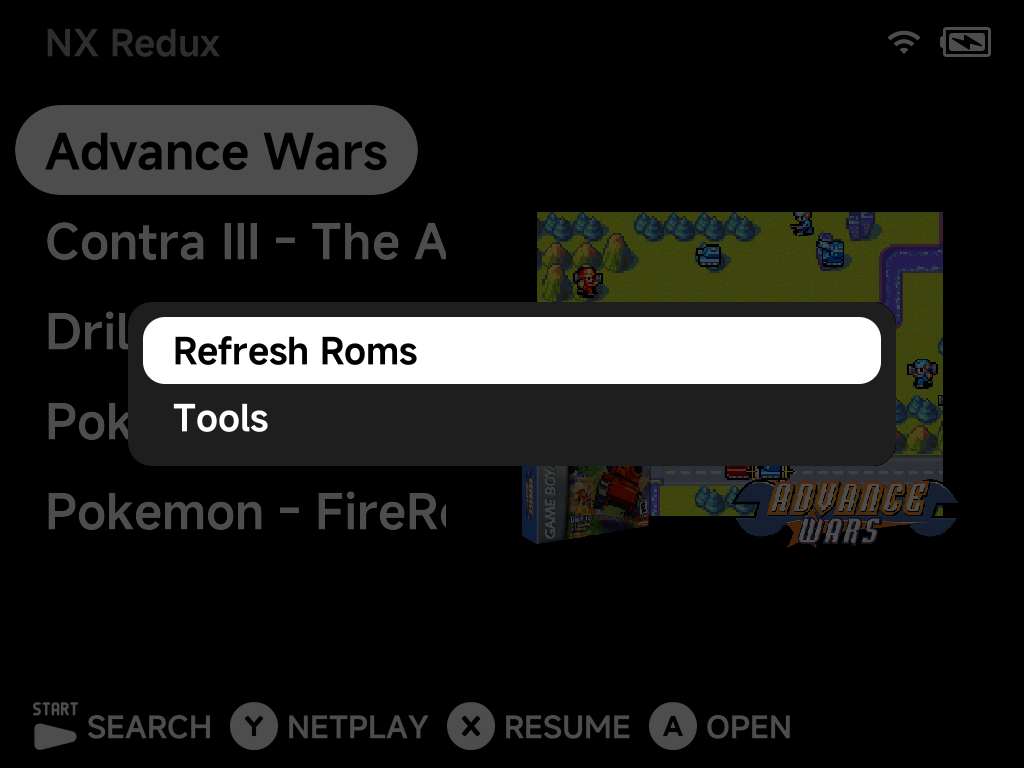
— so Settings stays reachable whenever you want to add a game, adjust something, or turn the hidden entries back on.
Handing the device to a child?
The five-game menu is a convenience, not a lock — Tools is one MENU
press away. For a setup that actually locks Settings behind a PIN, use
Simple Mode (the two combine nicely).