Nintendo 64
Nintendo 64 games run on the bundled Mupen64Plus-Next core.
| Mupen64Plus-Next | |
|---|---|
| Folder | Roms/Nintendo 64 (N64)/ |
| BIOS | Not needed |
| File types | n64 z64 v64 (also inside a zip or 7z) |
Controls
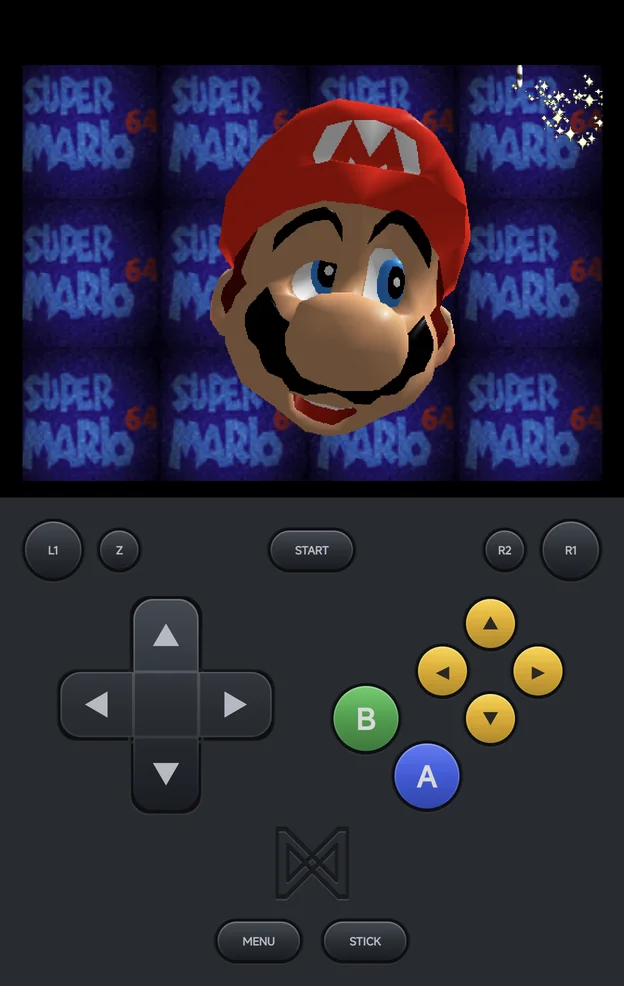
The Nintendo 64 maps a controller by the printed letter, like every
Nintendo console: the button printed A is the N64's A.
| Controller | Nintendo 64 |
|---|---|
A, B |
A, B |
X |
C-Left |
Y |
C-Down |
L1, R1 |
L, R |
L2 |
Z |
START |
START |
| Left stick | Analog stick |
| Right stick | The C buttons |
R2, SELECT |
Nothing |
- The on-screen pad draws
A,Band a yellow C-button diamond, withZonL2. It has noSELECT. MENU, orSELECT+START, still opens the in-game menu.- Controller Layout in Options → Console Settings names your
controller's letters if it is read wrongly. Set it to the layout that
isn't your controller's to swap
A/BandX/Y; see Controls.
Rumble
The controller holds the Controller Pak (for saves) out of the box. To feel a game's rumble, set Player 1 Pak to rumble under Core settings → Pak/Controller Options, in Emulator Settings for the console or Game Settings for one game. The Rumble Pak takes the Controller Pak's place. Start the game again for the change to take effect. See Vibration.
Up to four players can play, each on their own controller; see Local Multiplayer. Each player has their own setting, from Player 1 Pak to Player 4 Pak. Only games that support the Rumble Pak rumble, such as Super Smash Bros. Mario Kart 64 doesn't.
Settings
- Video uses the GLideN64 plugin. With Graphics API set to Vulkan, it switches to the paraLLEl plugins: more accurate, and heavier. See Graphics API.
- Many video options, such as the resolution, only take effect when a game starts. They are in Emulator Settings, not in the in-game Core Options.