Game Context Menu
Press MENU on a highlighted game in any game list, or on a game on
Home, to open its context menu.
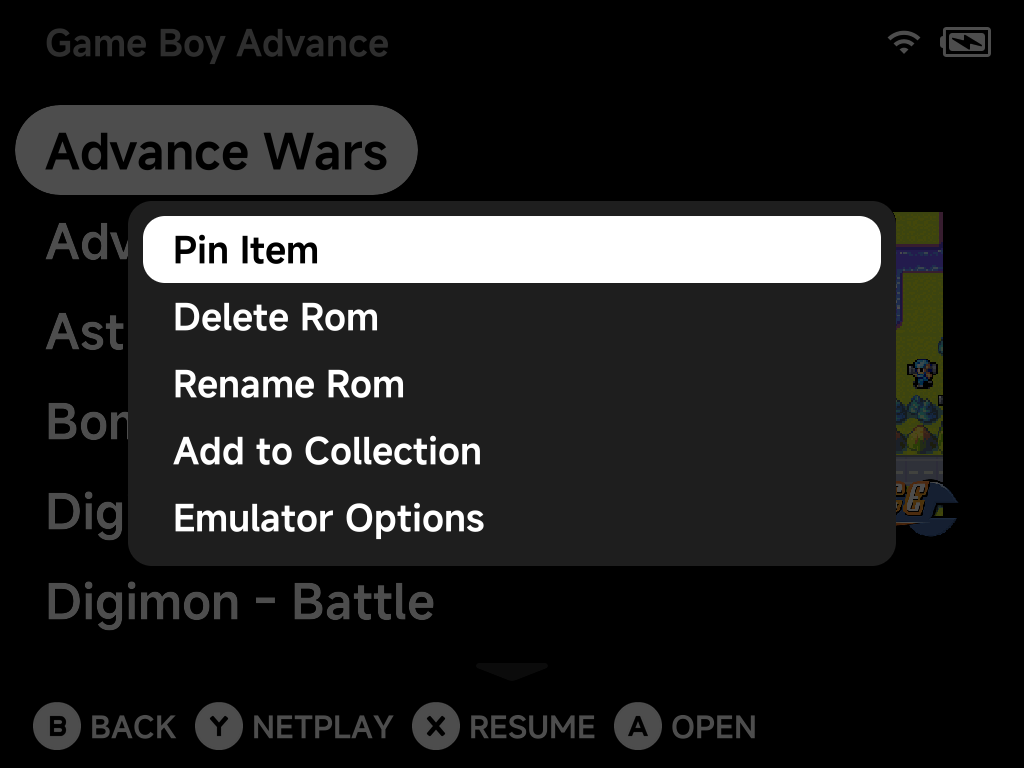
Depending on the game, the menu offers:
| Option | What it does |
|---|---|
| Pin Item / Unpin Item | Pin the game to Home for one-press access |
| Delete Rom | Remove the game (with a confirmation dialog) |
| Rename Rom | Change a game's display name. The keyboard opens with the current name to edit. The file itself is never touched. |
| Add to Collection | Add the game to an existing collection or create a new one on the spot |
| Emulator Options | Edit per-game emulator options, overriding the system-wide defaults |
| Fetch Artwork | Download the screenshot and box art for this game in the background. Shown in game lists when the game has neither yet; needs Wi-Fi. |
| Refresh Roms | Rescan the ROMs list (on Home) |
| Tools | Open Tools (on Home, when the Tools tab is hidden) |
Bulk artwork
To fetch artwork for many games at once, use the Artwork Manager instead of fetching one game at a time.
More detail
Rename Rom stores the new name as a
map.txt alias. Box art,
saves and save states stay matched, and arcade zips keep loading.