Audio
Sound output and sample rates. Audio follows whatever output is active: the speaker, a Bluetooth device or a USB-C DAC. Plugging in a DAC or connecting Bluetooth mid-playback switches over automatically, and a headphone icon shows in the status bar while an external output is active.
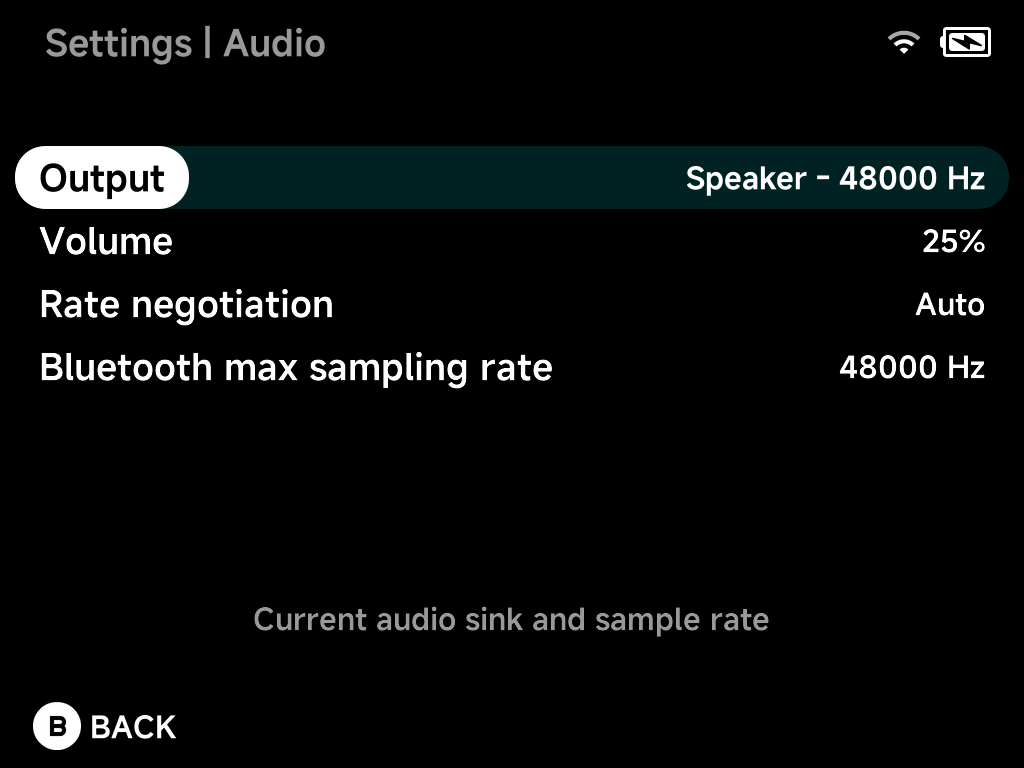
Output
The current audio output and its sample rate, live. For example
Speaker – 48000 Hz, or your DAC or Bluetooth device when connected.
Volume
Speaker volume, Muted or 5%–100%.
Rate negotiation
Auto (default) matches the active output's preferred sample rate.
Force 48000 Hz is the fallback if a device misbehaves.
Bluetooth max sampling rate
Caps the sample rate used for Bluetooth audio: 44100 Hz or 48000 Hz.
More detail
With Auto, NX Redux negotiates the rate with the active output: 48 kHz
on the speaker, the negotiated Bluetooth rate, or a rate the USB DAC
supports. It resamples in the app at high quality instead of letting the
system resample silently at low quality.