Sega Consoles
Sega Genesis, Sega CD, 32X, Master System, Game Gear and SG-1000 games run on the bundled PicoDrive core by default. All but the 32X can run on Genesis Plus GX instead; see Choosing an emulator.
| Folder | BIOS | File types | |
|---|---|---|---|
| Sega Genesis | Roms/Sega Genesis (MD)/ |
Not needed | md gen smd bin 68k |
| Sega CD | Roms/Sega CD (SEGACD)/ |
bios_CD_U.bin (USA), bios_CD_E.bin (Europe) or bios_CD_J.bin (Japan) in Bios/SEGACD/ |
chd cue iso m3u |
| Sega 32X | Roms/Sega 32X (32X)/ |
Not needed | 32x |
| Master System | Roms/Sega Master System (SMS)/ |
Not needed | sms |
| Game Gear | Roms/Sega Game Gear (GG)/ |
Not needed | gg |
| SG-1000 | Roms/Sega SG-1000 (SG1000)/ |
Not needed | sg |
Saves go in Saves/<tag>/, such as Saves/MD/.
More detail
- Battery saves are shared by PicoDrive and Genesis Plus GX, so a game switched to the other emulator keeps its progress. Save states stay per emulator.
- A handheld
Sega Genesis (GPGX)orSega Master System (GPGX)folder is just that console's folder. Its tag names the console, not the emulator.
Controls
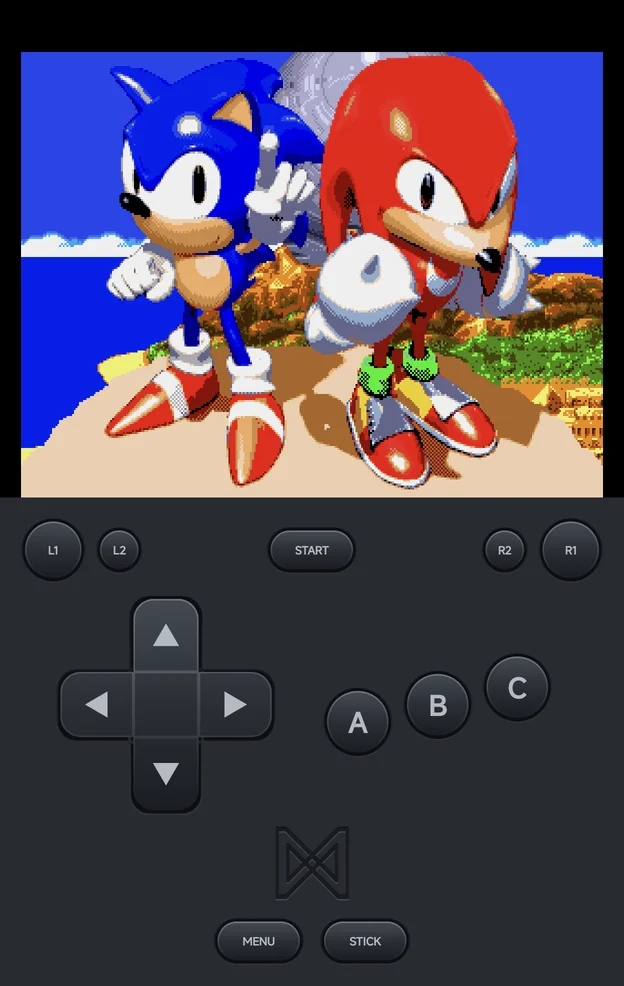
Sonic & Knuckles
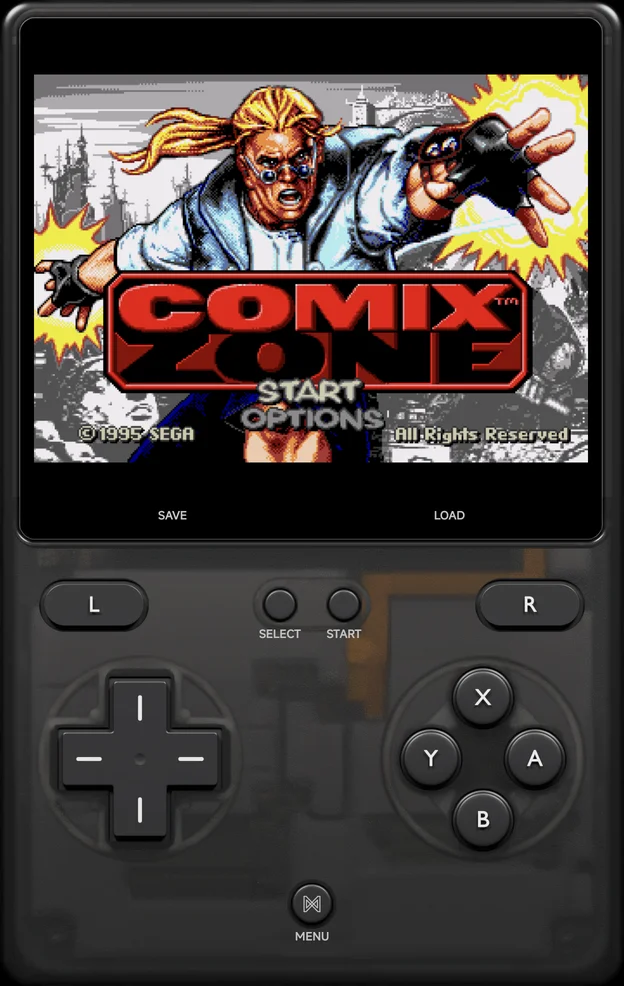
Comix Zone
The game gets a Sega 3-button pad, or the 6-button pad when it was made for one (see Controller Type). A controller plays the Genesis, Sega CD and 32X by position, and so do the buttons of the on-screen pad skin:
| Button | 6-button pad | 3-button pad |
|---|---|---|
| Left, top and right face buttons | A, B, C |
A, B, C |
| Bottom face button | X |
Not used |
L1, R1 |
Y, Z |
Not used |
SELECT |
Mode |
Not used |
On the Master System, Game Gear and SG-1000, the bottom and right face
buttons are 1 and 2.
Settings
Genesis, Sega CD and 32X games have two rows on the Controls page of the in-game menu's Options, also set for the console in Emulator Settings. Both take effect straight away; keep them for the game or the console with Save Changes.
| Row | Values | Default | See |
|---|---|---|---|
| Controller Type | Auto, 3 buttons, 6 buttons | Auto | Controller Type |
| Controller Layout | Auto-detect, Xbox (A at the bottom), Nintendo (A on the right) | Auto-detect | Controls |
Controller Type
| Value | What the game sees |
|---|---|
| Auto (default) | A 6-button pad only for games made for one, else a 3-button pad |
| 3 buttons | A 3-button pad |
| 6 buttons | A 6-button pad |
Some older games misbehave with a 6-button pad. Player 2 gets the same pad as Player 1.
More detail
- The emulator's own options are on the Emulator page of Options. Neither emulator has a pad option of its own: Controller Type sets the pad for both.
- On PicoDrive, Mega Drive FM chip type under Emulator → Audio picks the sound chip: YM2612, the first Mega Drive's, or YM3438, the later models'.
Sega CD BIOS
The Sega CD is region-locked: a US disc boots only with the US BIOS,
bios_CD_U.bin, a European disc with bios_CD_E.bin, and a Japanese disc
with bios_CD_J.bin. Before a disc starts, the app reads its region and
checks for that BIOS. When it's missing, the message says which file to add,
and where your other BIOS files are:
This game is a US disc: put bios_CD_U.bin in Bios/SEGACD/. Bios/MD/ has bios_CD_E.bin and bios_CD_J.bin, which only boot European and Japanese discs.
Import BIOS puts each file under the right name, whatever it's called.
More detail
- The region is read from
.cue/.bin,.iso,.chdand.m3udiscs, and from a zipped disc once it's unpacked. - PicoDrive also accepts the redump names, such as
us_scd2_9306.bin(or.zip). - On Genesis Plus GX, a region forced in its Emulator settings decides the BIOS, as it does in the emulator.
- A disc whose header can't be read gets the general check: any of the three files.
MSU-MD
MSU-MD games are Mega Drive cartridges patched to play CD-quality music from a set of audio tracks. They show an MSU-MD badge by their name.
Put the set in Roms/Sega Genesis (MD)/: the cartridge, and a .cue of the
same name with the tracks it lists. A set in a folder of its own lists as one
game, named after the folder.
Roms/Sega Genesis (MD)/
└── Sonic 3D Blast MSU/
    ├── Sonic 3D Blast MSU.md
    ├── Sonic 3D Blast MSU.cue
    ├── Sonic 3D Blast MSU-01.wav
    └── …
- PicoDrive (the default) needs no BIOS for MSU-MD.
- Genesis Plus GX needs the Sega CD BIOS of the cartridge's region in
Bios/MD/; the message names it if it's missing.
More detail
- The cue and its tracks are hidden from the game list; the cartridge stands for the set.
- A track the cue lists that is missing is named in the error.
- Moves and Device Sync take the set's files along.
- Art is looked up by the folder's name, and RetroAchievements treats the game as its Mega Drive cartridge.
Multiplayer
- Two players can play on the Genesis, Sega CD, 32X, Master System and SG-1000, each on their own controller; see Local Multiplayer. The Game Gear is one player.
- Every Sega console here also plays over Netplay.
Cheats and achievements
- Cheats: the cheat download has codes for every Sega console
here, or add your own
.chtfiles. - RetroAchievements works for all of them.