Xtras Store
Tools → Xtras is an on-device add-on store for optional games and tools that are not part of the core install. Install or update them right from the device.
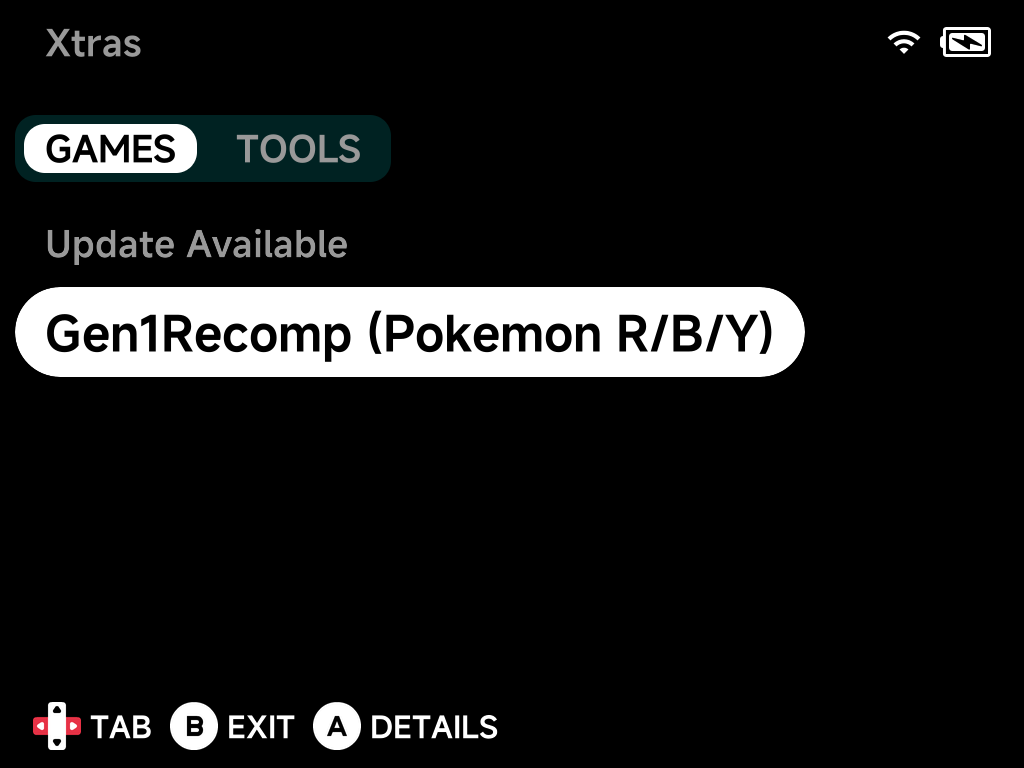
- Press
Left/Rightto switch between the GAMES and TOOLS tabs. - Press
Aon an entry for its details. - Install or update it from there.
The TOOLS tab holds installable tools and emulators, including PortMaster and its two community catalogs, NextOS Ports and RHH Ports. Already-installed entries are grouped under an Installed header:
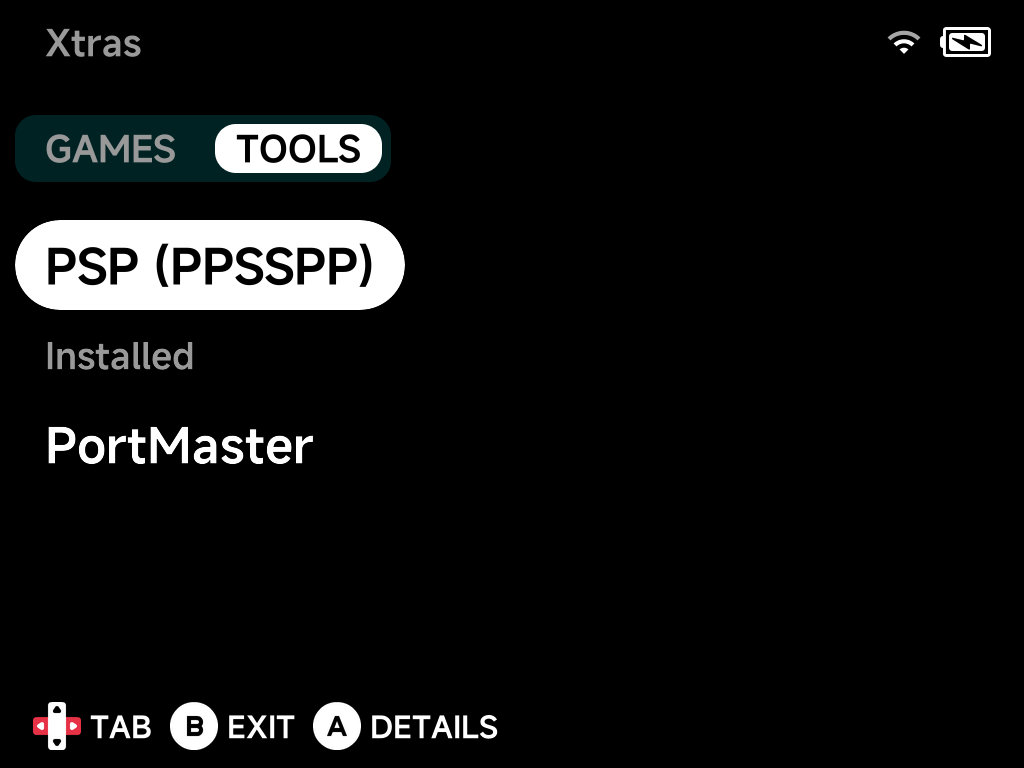
Installed entries show up in your regular menus. A game appears in Xtra Games, a tool appears in Tools. When an update is available, the store labels the entry accordingly.
The catalog grows
More standalone games and tools will be added to Xtras over time. Check back after updating NX Redux.
Pokémon Gen1Recomp
Pokemon Gen1Recomp++ in the GAMES tab installs bryanthaboi/gen1recomp. It is a native LÖVE2D recreation of Pokémon Red, Blue, Yellow, Gold, Silver and Crystal. Three mods come bundled: Stadium battle effects, Running Shoes and Wilds of Kanto.
You supply your own US cartridge ROMs in Roms/Game Boy or
Roms/Game Boy Color. The installer copies recognised dumps into the game for
you.
Note
Only the Crystal 1.1 dump is recognised. Crystal 1.0 must be copied by hand.
The game opens on its own launcher (ROM import, mods, saves). It is built for a mouse pointer, so on a handheld it works like this:
| Button | Action |
|---|---|
| D-pad, A | Move between controls and select |
| L1 / R1 | Previous / next tab |
| L2 / R2 | Scroll lists up / down |
| Y | Switch between menu navigation and a free pointer cursor |
| Select | Open the on-screen keyboard (search, names, URLs) |
| Start | Play the selected version |
More detail
The 3D voxel overworld mods offered in its mod browser need far more memory than these 1 GB devices have. They are not bundled and not recommended.
PortMaster
PortMaster, the community launcher for game ports, is the flagship entry in the TOOLS tab. Once installed it appears in the Tools menu. See the dedicated PortMaster page for how it works.
Community port catalogs
Two more entries in the TOOLS tab add community-run catalogs to PortMaster. Their games show up in PortMaster next to its own, and install the same way. Install PortMaster first: both entries need it.
| Entry | Adds | Examples |
|---|---|---|
| NextOS Ports | NextOS Universal Ports | Android and iOS games wrapped to run on handhelds |
| RHH Ports | Jeod's Retro Handheld Ports | GameMaker, RPG Maker and Solarus games, many of them fan games |
- New games appear by themselves. PortMaster checks each catalog for new ports when you open it, so there is nothing to update in Xtras when a catalog adds games.
- You supply the game files. Most of these ports need your own copy of the game (an APK, a Steam download, a ROM). Each port's details page in PortMaster says what to add and where.
- RHH Ports also installs gmtoolkit, which RHH's GameMaker ports use to prepare their game files on first launch.
- Same game in two catalogs? PortMaster offers its own build.
- Uninstalling the entry takes the catalog out of PortMaster. Games you already installed from it stay, with their saves; remove them from PortMaster.
No guarantee these ports run
These catalogs make the games easy to install, but they aren't made for NX Redux devices and nobody tests them there. Some won't run. See Community catalogs on the PortMaster page for why.
Cheat Database
Cheat Database in the TOOLS tab installs a small (~1 MB) tool into your Tools menu. Open it once to download the libretro cheat collection (~37 MB, ~185 MB unpacked). A single download covers every supported system. Cheats then turn on and off from a game's in-game Options → Cheats menu. See the dedicated Cheats page for downloading, using and updating the cheats, and for writing your own.