Files
Tools → Files is a dual-pane file manager for the device — browse the SD card and copy, move, rename or delete files without a computer.
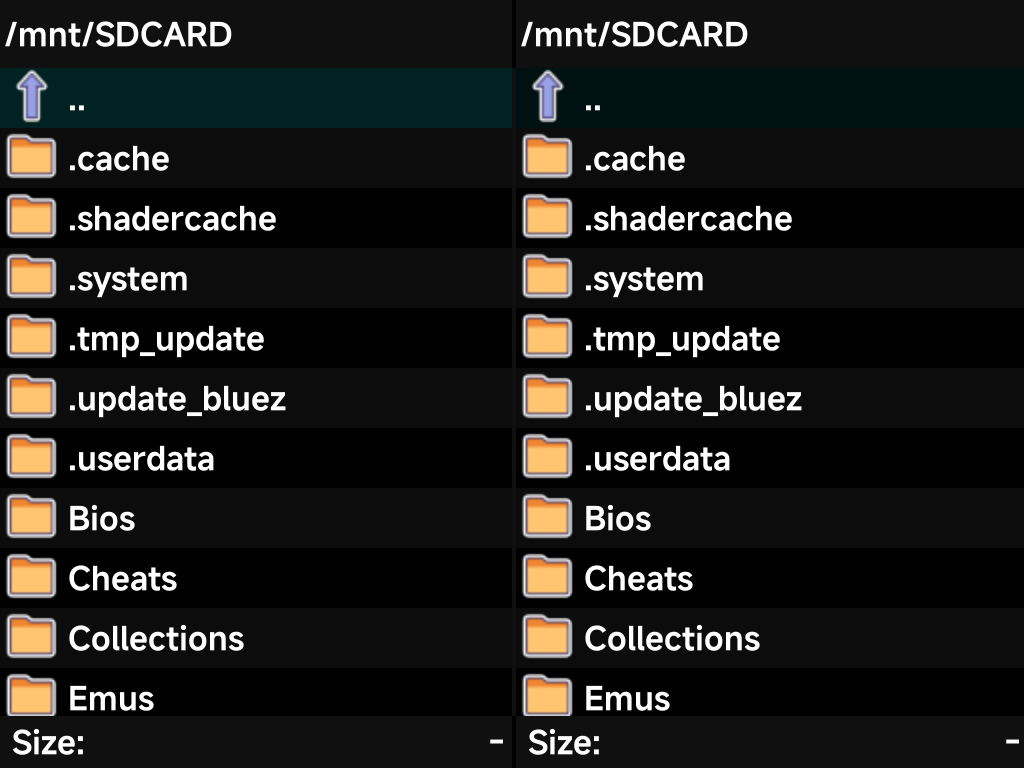
It has two independent panes. Set each pane to a folder, then copy or move between them.
| Button | What it does |
|---|---|
| D-pad or left stick | Move the cursor (hold to scroll through a long folder) |
LEFT / RIGHT |
Switch panes |
A |
Open the selected folder or file |
B |
Go up a directory |
X |
Open the file actions menu for the current selection |
MENU (or Y) |
Open the system menu: Select all / Select none, New directory, Disk info, and Quit to leave the app |
The face buttons follow the device-wide
Button Layout setting. Under the Xbox layout, the
bottom button is A here too.
File actions
Press X on a file or folder to act on it:
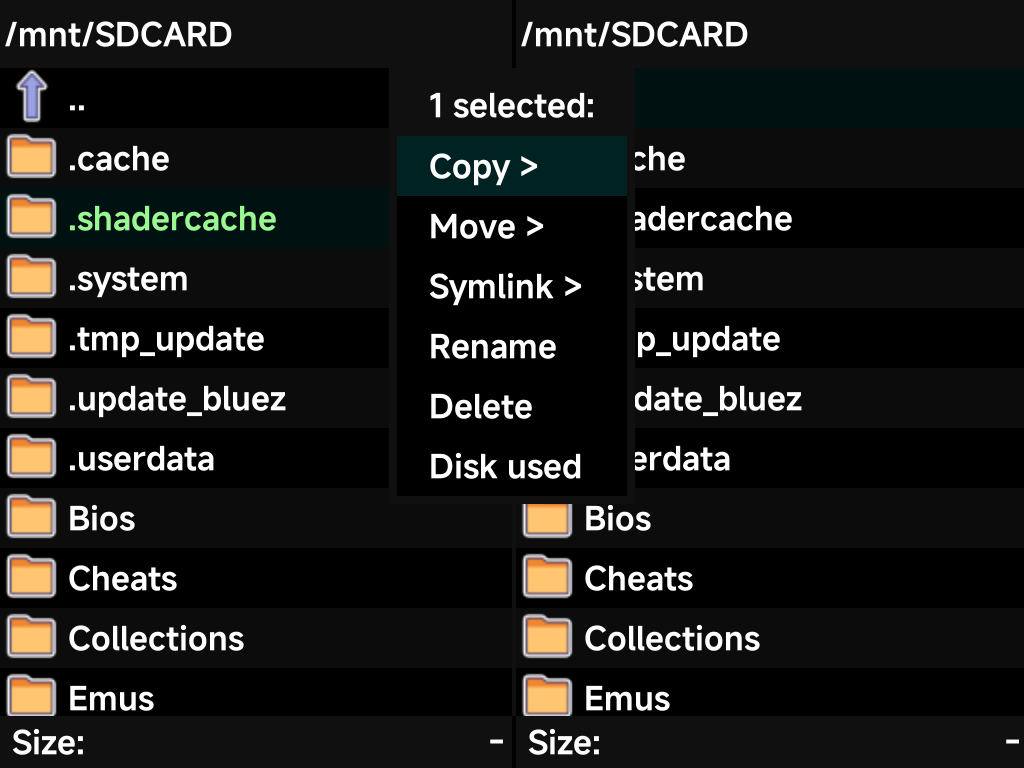
| Action | What it does |
|---|---|
| Copy / Move / Symlink | Into the folder open in the other pane |
| Rename | Rename the selection |
| Delete | Delete the selection |
| Disk used | Size of the current selection |
The menu header shows how many items are selected. To act on a whole folder at once, use Select all from the system menu.
The whole card is visible, including the hidden dot-folders (.system,
.userdata, and friends). That helps with the occasional maintenance task the
FAQ mentions, like removing the Simple Mode
PIN file.