Nintendo Wii & GameCube
Wii and GameCube games run on the bundled Dolphin core.
| Wii | GameCube | |
|---|---|---|
| Folder | Roms/Nintendo Wii (WII)/ |
Roms/Nintendo GameCube (GC)/ |
| BIOS | Not needed | Not needed |
| File types | wbfs wia rvz, and iso ciso gcz wad elf dol m3u in the Wii folder |
gcm gcz tgc ciso, and iso elf dol m3u in the GameCube folder |
- A GameCube disc in the Wii folder is recognised and plays as GameCube.
- The first launch copies Dolphin's system files, which takes a second or two.
- Graphics API can switch a game to Vulkan. See Graphics API.
GameCube controls
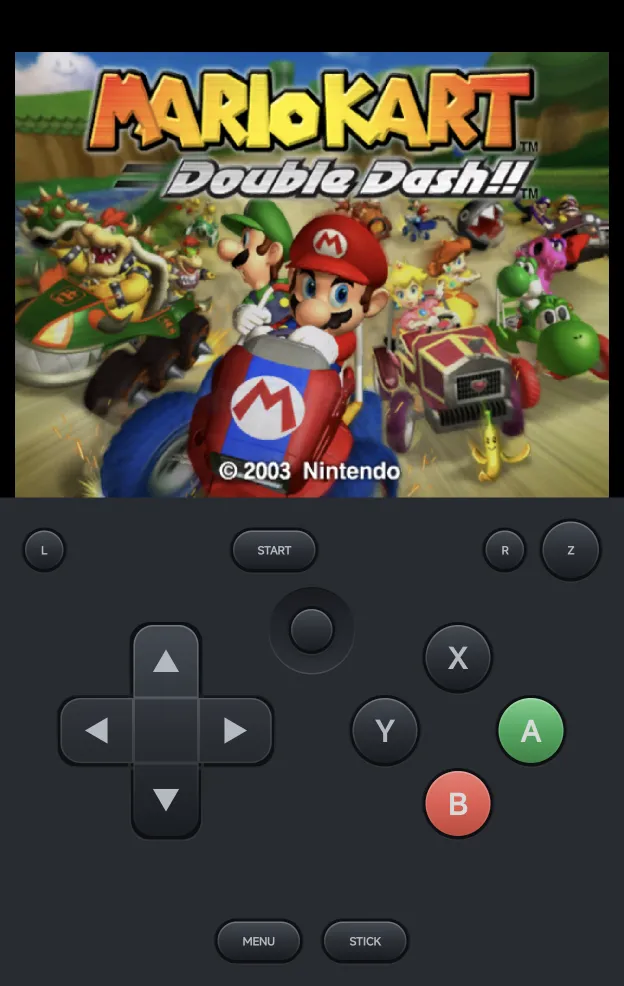
The on-screen pad is the GameCube's: the d-pad, or the control stick with
STICK, the C-stick, a green A and a red B, X, Y, Z, L, R and
START.
L and R are analog triggers on a GameCube:
- Tap
LorRto squeeze it half-way. It stays squeezed, and the button lit, until you tap it again. - Hold it for about a third of a second or more for a full press, the click at the end of the trigger, for as long as your finger stays down.
A controller adds:
| Control | GameCube |
|---|---|
A B X Y |
A B X Y, by the letters printed on your controller |
R1 |
Z |
L2, R2 |
L, R. Analog triggers press them as far as you pull. |
| Left stick | The control stick |
| Right stick | The C-stick |
Wii controls
A Wii game needs a Wiimote, held one way or another, or another Wii controller. Wii Controller picks it:
| Value | What the game gets |
|---|---|
| Auto (default) | The controller the game expects, from its disc. A game that takes the Classic Controller gets it. Games that require the Wii MotionPlus get it attached. |
| Sideways Wiimote | A Wiimote held sideways, like an NES pad |
| Wiimote | A Wiimote held upright and pointed at the screen |
| Wiimote + Nunchuk | A Wiimote with the Nunchuk |
| Classic Controller | The Classic Controller Pro |
Change it in the in-game menu under Options → Console Settings. It applies straight away, and Save Changes keeps it for the game or the console.
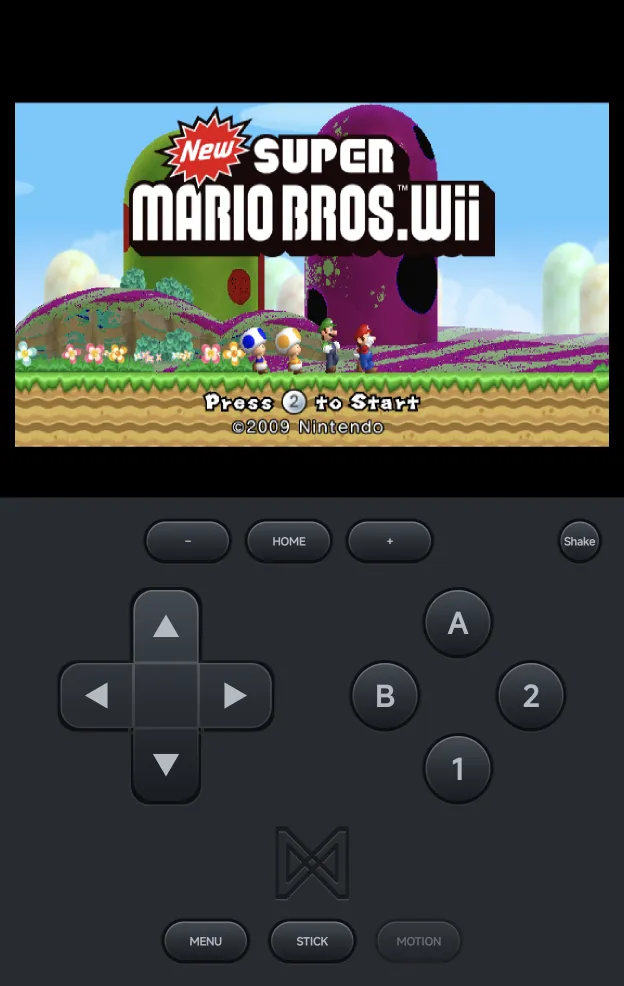
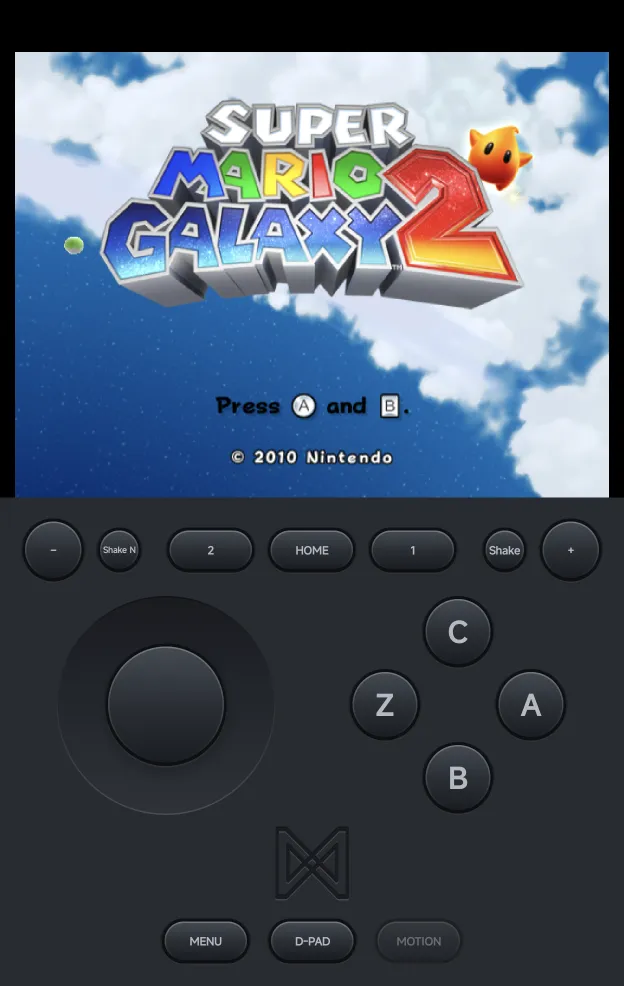
The on-screen pad follows the controller: the sideways Wiimote's 1 and
2, the Nunchuk's stick, C and Z, or the Classic Controller's two
sticks and shoulder buttons. Every Wii pad has:
HOME, between−and+. It opens the game's HOME menu. The app saves a resume point first, so the game pauses for about a second.Shake, which shakes the Wiimote, for a spin jump or a swing. The Nunchuk pad addsShake Nfor the Nunchuk.MOTION, which turns motion controls on or off.
A controller adds:
| Controller | Sideways Wiimote | Wiimote | Wiimote + Nunchuk | Classic Controller |
|---|---|---|---|---|
A |
2 |
A |
A |
a |
B |
1 |
B |
B |
b |
X |
A |
1 |
C |
x |
Y |
B |
2 |
Z |
y |
SELECT, START |
−, + |
−, + |
2, 1 |
−, + |
L1, R1 |
−, + |
L, R |
||
L2, R2 |
R2: Shake |
R2: Shake |
Shake Nunchuk, Shake | ZL, ZR |
| Left stick | The Nunchuk's stick | The left stick | ||
| Right stick | The pointer | The pointer | The pointer | The right stick |
On every Wii controller:
R3(press the right stick) isHOME.L3(press the left stick) recentres motion.- The sideways Wiimote works like the NES pad: printed
Ais2and printedBis1.
Pointing
With a Wiimote, touch the picture to aim. The cursor jumps to your finger and stays where you lift it. A controller's right stick moves it too.
If a tap lands off your finger in a game, adjust the pointer for that game in Game Settings. The new values apply the next time the game starts:
| Row | Values | What it does |
|---|---|---|
| Pointer Width | 50% to 150% | Lower it if the cursor lands further out sideways than your finger, raise it if it falls short. |
| Pointer Height | 50% to 150% | The same, up and down. |
| Pointer Offset | −20 to +20 | Moves the cursor up (+) or down (−) against your finger. |
Motion controls
Tilt and turn the phone to move the Wiimote. Motion Controls sets when the phone's motion is used:
| Value | What it does |
|---|---|
| Auto (default) | On for games that require the Wii MotionPlus, such as Wii Sports Resort. |
| On | On for every game. |
| Off | Off. The left stick tilts the Wiimote instead. |
- Tap
MOTIONon the pad to turn it on or off while you play. - Hold
MOTION, or pressL3on a controller, to recentre: the way you hold the phone now becomes straight ahead. - Motion needs a phone with a gyroscope. The sensors only run while you play.
Wii Screen
Wii Screen is the shape the Wii draws: Auto (default), 4:3 or 16:9. Auto picks 4:3 when the game starts in portrait and 16:9 when it starts in landscape.
A Wii game reads the shape once, when it starts, so rotating the phone keeps it until the next launch. Set it in Game Settings.
The Wii Menu
Choosing Wii Menu in a game's HOME menu closes the game and takes you
back to the game list. Resuming the game later starts from the resume point
saved when you pressed HOME.
Console Settings
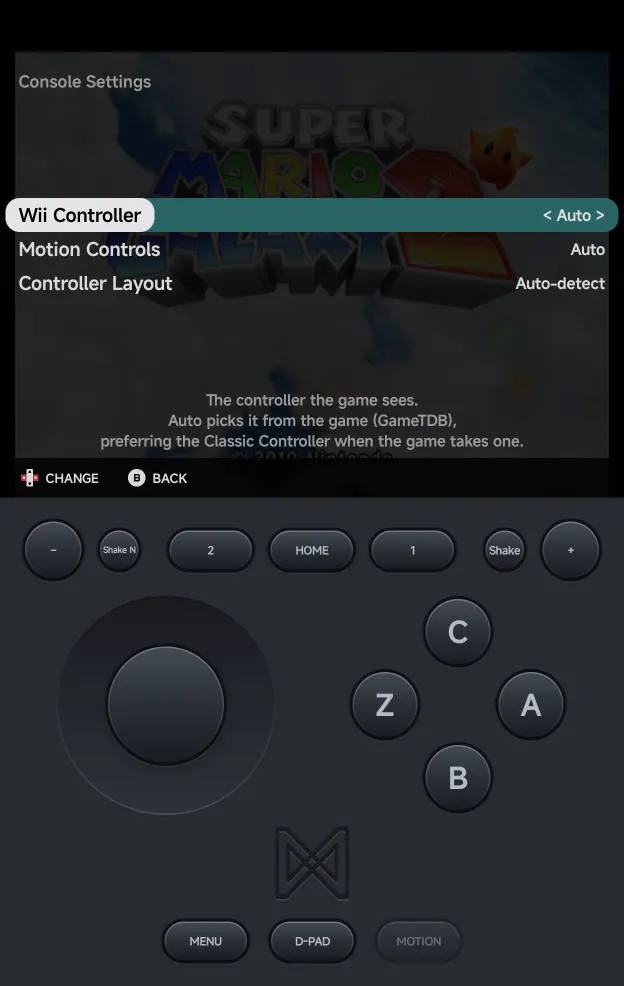
The in-game Options → Console Settings page has the rows that apply while you play: Wii Controller, Motion Controls and Controller Layout.
Wii Screen, the Pointer rows and Graphics API are read when the game starts. They are set in Game Settings for one game, or in Emulator Settings for the console.
Saves
- Wii game saves are in
Saves/WII/. - GameCube memory cards are in
Saves/GC/. - Save states work as on other consoles. They are large, about 100 MB each.
Multiplayer
Up to four players can play, each on their own controller; see Local Multiplayer.
- Players 2 to 4 are plugged in only when a controller joins. Until then, the game sees one player, so a Wii game shows no extra cursors.
- Every player gets the same controller as Player 1: the GameCube pad, or the Wii controller the game uses.
- Each player shakes their own Wiimote with
R2. - Only Player 1 can point at the screen or use the phone's motion.
Cheats and achievements
- Cheats: Dolphin's own codes for the game are listed after
the game's first start. Your own codes go in
Cheats/WII/orCheats/GC/as.chtfiles: Gecko codes by default, Action Replay when a code's description starts with[AR]. The cheat download has no Wii or GameCube codes. - RetroAchievements works for Wii and GameCube
in every file type above. A game is identified once, then remembered.
Compressed discs listed in an
.m3u, and split WBFS files, aren't identified. They still play.