PlayStation Portable
PSP games run on the bundled PPSSPP core.
| PPSSPP | |
|---|---|
| Folder | Roms/Sony Playstation Portable (PSP)/ |
| BIOS | Not needed: PPSSPP's own files are bundled |
| File types | iso cso chd pbp elf prx |
Controls
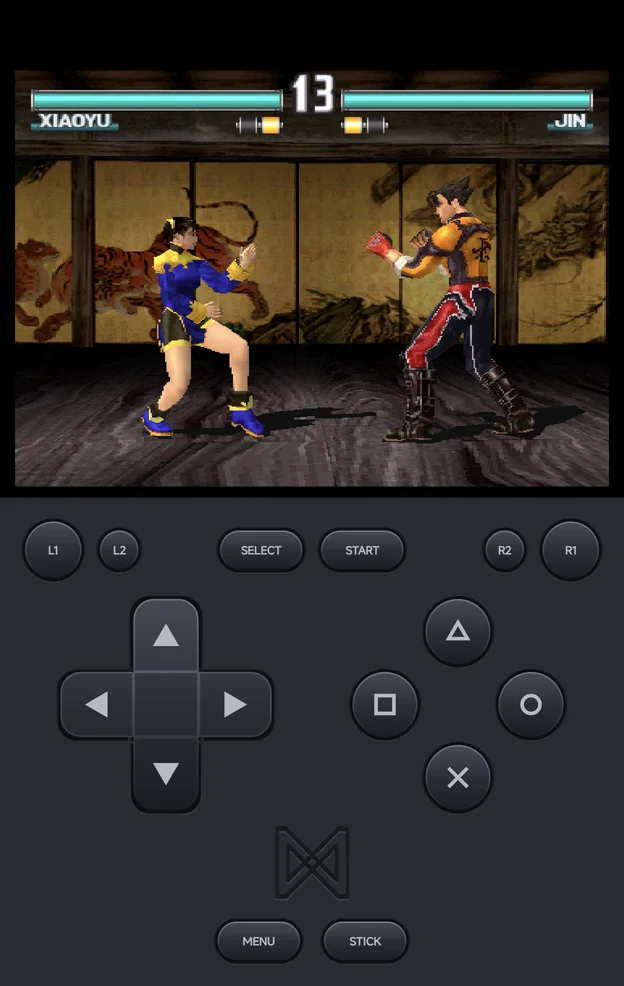
The face buttons map to the PSP buttons by position:
| Position | PSP button |
|---|---|
| Bottom | Cross (×) |
| Right | Circle (○) |
| Top | Triangle (△) |
| Left | Square (□) |
| Control | PSP control |
|---|---|
| D-pad | D-pad |
| Left stick | Analog stick |
L1 / R1 |
L / R |
START, SELECT |
START, SELECT |
- The on-screen pad draws
×○△□. In the app's menus,×confirms and○goes back. MENU, orSELECT+START, opens the in-game menu.
Settings
- PSP renders with OpenGL ES, or with Vulkan when Graphics API is set to Vulkan; see Graphics API. The software renderer is not offered.
- Some options, such as the CPU core and the PSP model, only take effect when a game starts. They are in Emulator Settings, not in the in-game Core Options.
- In-game saves go in the PSP's own
SAVEDATAfolder, underSaves/PSP/.