Cheats
NX Redux Mobile uses libretro's cheat collection. Download it once from Tools → Cheat Database, then turn cheats on and off from a game's in-game menu.
Unlike the handheld, there is no separate tool to install first: Cheat Database is part of the app.
Downloading the cheats
Open Tools → Cheat Database. Before the first download the page shows Not installed, the download size and how many systems it covers, with one row: Download (about 37 MB).
- The download needs about 400 MB of free space. With less, it stops with Not enough space (needs about 400 MB free).
- A progress bar follows the download, then the install, system by system
(Installing followed by the system's tag and count).
Bcancels. - When it is done, the page shows Installed, the number of systems and files, and the date of the last update.
One download covers every supported system.
Keeping it up to date
With the cheats installed, the page offers Check for updates and Remove.
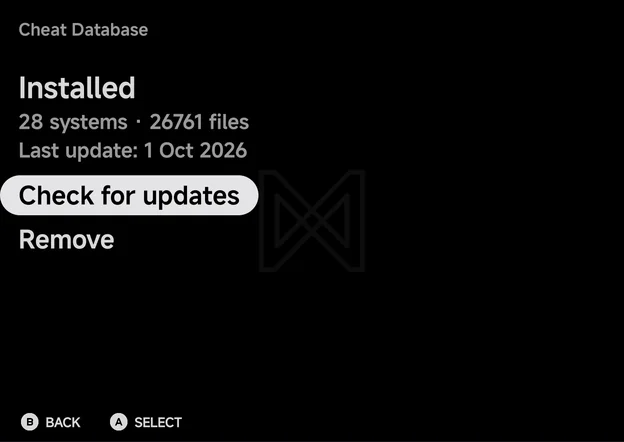
- Check for updates compares your copy with libretro's latest one and downloads it again only when it has changed. Otherwise it reports Cheat database is up to date. With no connection it reports Could not check for updates (Wi-Fi?).
- Remove asks to confirm, then deletes the downloaded files.
Where the files go
The cheats live inside the app's own storage. Unlike the handheld, they are
not on your card or in your home folder. Arcade (FBN), ColecoVision and
Dreamcast (with NAOMI and Atomiswave) have no cheats.
More detail
- The cheats are libretro
.chtfiles, kept in oneCheats/<TAG>/folder per system inside the app's own storage. The app reads cheats only from there. - The download installs folders only for systems whose core takes cheats,
so Arcade (
FBN), ColecoVision and Dreamcast have none.
Using cheats in a game
- Open the in-game menu and choose Options.
- Choose Cheats.
- Turn a cheat On or Off with
LEFTorRIGHT. It applies straight away.Ashows its full description. - To keep your cheats for next time, use Save Changes → Save for game.
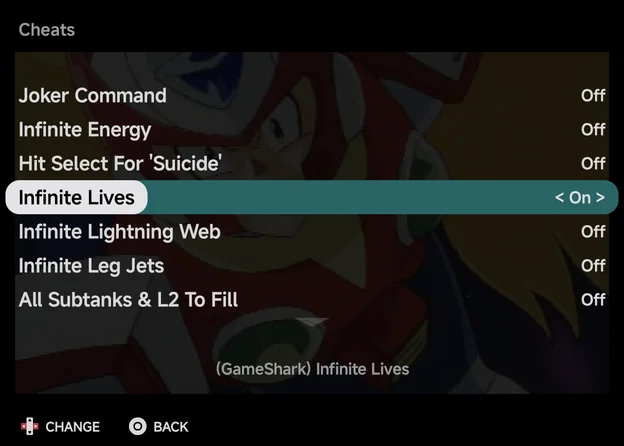
The app finds the game's cheat file by the ROM's file name first, then by the
game's name. If nothing matches, the page says No cheats for this game. and
names the file it looked for, such as Looked for Cheats/GBA/....
Variants are merged
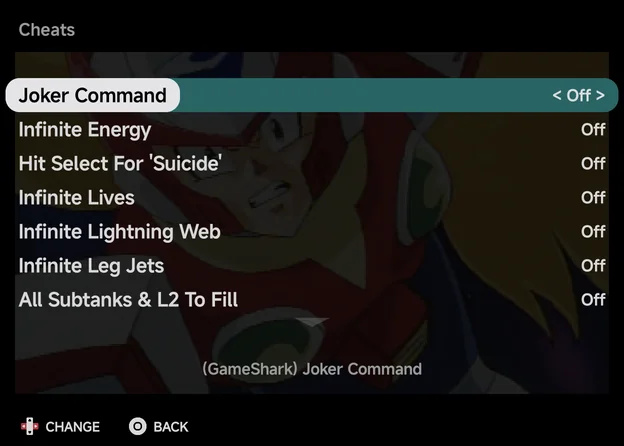
Some games have several cheat files from different sources, such as
GameShark or Action Replay. The app loads every file for the game's name
and region into one list. When a merged cheat is highlighted, the
description under the list starts with its source, such as
(GameShark), so you can tell them apart.
Cheats and RetroAchievements
RetroAchievements on mobile is softcore only, so there is no hardcore mode to block cheats. You can turn cheats on with achievements enabled.