Game Switcher
Tap SELECT anywhere in the menus to open the Game Switcher — a full-screen
carousel of your recent games that resumes any of them instantly.
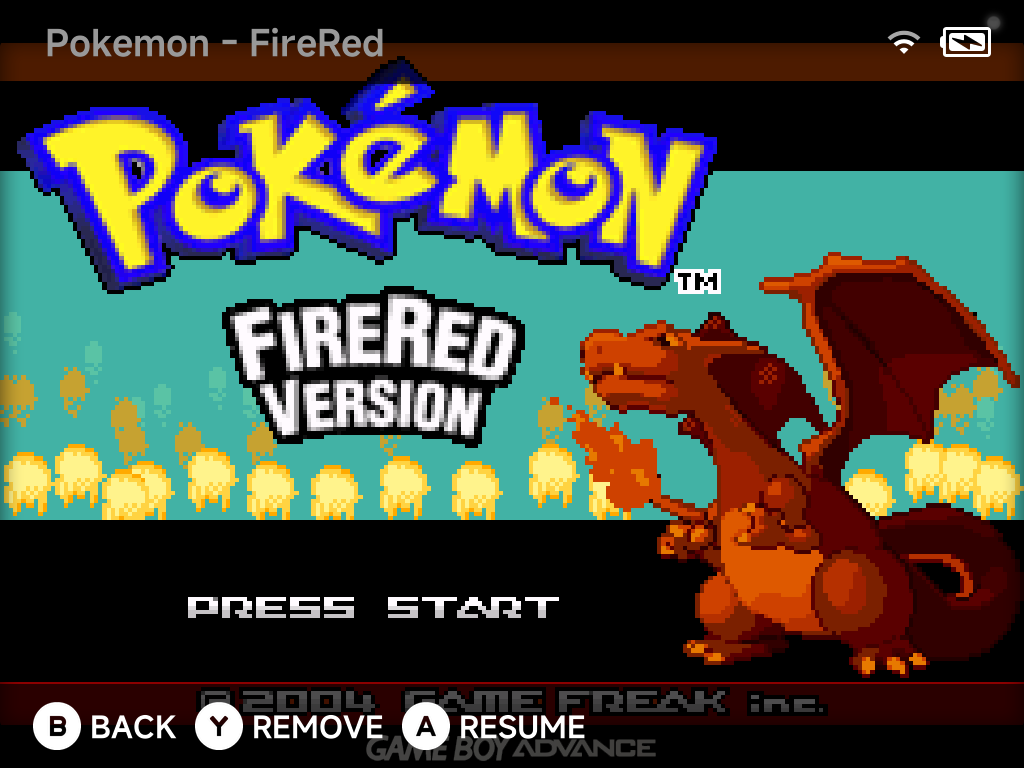
The top shows the game's name, its system and its place in the list ("Game Boy Advance 1 / 12"). The line at the bottom shows when you last played it, your total play time and your achievement progress. With nothing played yet, the switcher says Nothing played yet.
| Button | What it does |
|---|---|
Left / Right |
Flip through games |
A Resume |
Continue exactly where you left off |
Y Remove |
Take the game out of the switcher |
B Back |
Return to the menu |
Always resumable
Quitting a game auto-saves to a hidden save slot. The Game Switcher always resumes exactly where you left off, with no manual save states needed. This works on the built-in cores, Dreamcast included, and Nintendo 64.
Games without a save state show their box art instead, so the switcher stays visual even for freshly added titles.
Resumable-only by default
By default the switcher lists only resumable games. To see all recent
games, set Game Switcher games
in Settings → System to All recent games.