RetroAchievements
NX Redux supports RetroAchievements with full offline support. The RetroAchievements tool in Tools is the single home for the feature: sign in, browse your achievements and manage every setting here.
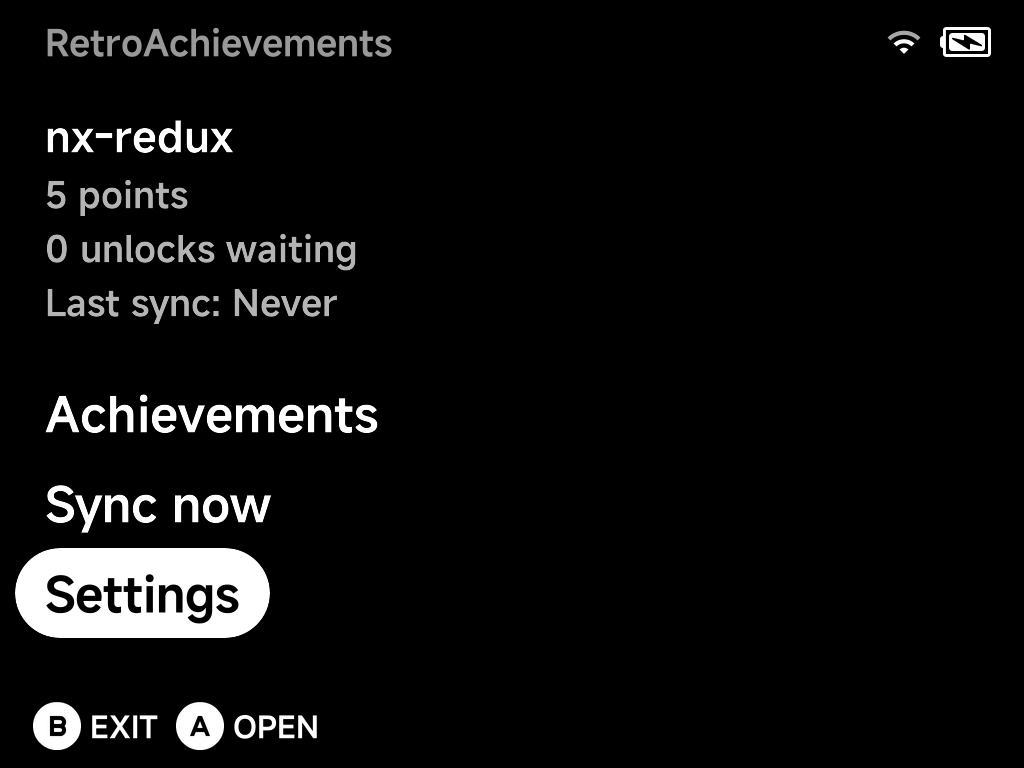
The home screen shows your account at a glance: points, unlocks waiting to be synced, and when the last sync happened. Below that are three entries: Achievements, Sync now and Settings.
More detail
The integration is powered by rcheevos.
Setting up
You need a free retroachievements.org account. Then, in Settings:
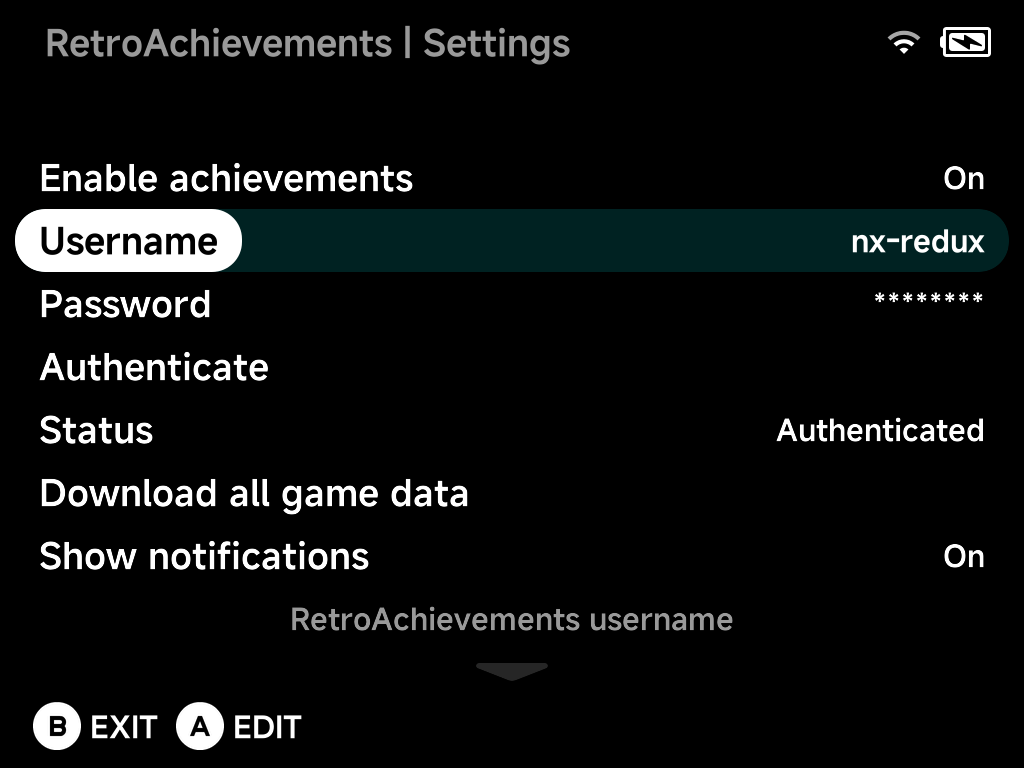
- Set Enable achievements to
On. - Enter your Username and Password with the on-screen keyboard.
- Choose Authenticate. It tests the credentials and retrieves your API
token. Status shows
Authenticatedwhen it works.
Below the account block, Settings also holds:
| Setting | What it does |
|---|---|
| Download all game data | Pre-cache your whole library (see Offline support) |
| Show notifications and Notification duration | In-game unlock popups and how long they stay |
| Progress duration | How long progress updates (top-left) stay on screen; Off disables them |
| Achievement sort order | How achievements are sorted, both here and in the in-game menu |
| Reset account data | Clear login and progress, keeping cached game data (for switching accounts) |
| Erase all achievement data | Remove everything, including games and badges |
| Reset settings to defaults | Put every setting back to its default |
Earning achievements
Achievements work in the built-in emulator cores. Launch a recognized game and unlocks are tracked automatically as you play:
- An unlock notification pops up when you earn an achievement.
- Progress updates (e.g. collectible counters) appear in the top-left.
- The in-game pause menu's
Options gains an Achievements entry. Browse the game's achievements
without leaving the game:
- Press
Yto filter to locked ones. - Press
Xto mute a specific achievement's notifications (handy for spammy progress trackers).
- Press
Genesis Plus GX covers every Sega system
Keep your Sega games in (GPGX) folders and RetroAchievements just works.
The alternate Sega core Genesis Plus GX plays
Genesis/Mega Drive, Master System, Game Gear, SG-1000 and Sega CD under a
single GPGX tag. It still identifies each game with the correct console
for achievements, by picking the system from the ROM's file extension.
Dreamcast is covered too
Dreamcast, Naomi and Atomiswave games run on a built-in core, so their achievements work like every other system, offline journal included.
WonderSwan is built in
WonderSwan and WonderSwan Color games in the Wonderswan Color (WSC) folder
earn achievements too. If you installed the WonderSwan pak from the Pak
Store before, it keeps working and keeps priority over the built-in one;
delete it from Emus/ to switch. Your saves stay where they are.
Softcore only, by design
NX Redux is not an RA-approved hardcore emulator, so hardcore mode is intentionally omitted to keep your account safe. Unlocks are submitted as softcore.
Offline support
Everything is built to work without a connection:
| Feature | What it does |
|---|---|
| Earn offline | Unlocks are journaled to the SD card and submitted automatically once you're back online (the home screen counts "unlocks waiting") |
| Connection drops | An unlock earned while the connection is down, for example right after waking from sleep, is journaled too, so it isn't lost if you quit before WiFi comes back. The popup reads RetroAchievements: offline, unlocks will sync later |
| Slow WiFi at launch | If WiFi isn't ready when a game starts (such as a game resumed after the device powered off in sleep), the login keeps retrying for a few seconds, then the game continues offline from the cache |
| Cached game data | Achievement definitions, unlock state and badges are cached as you play, so a game you've launched once keeps working offline |
| Pre-download | Download all game data caches achievement data for every game in your library, with a live progress bar. Even games you have never launched online then work offline |
More detail: Dreamcast and multi-disc games
- Pre-download includes Dreamcast folders. Disc images (
.chd,.gdi,.cdi,.cue) and Naomi/Atomiswave sets (.zip) are identified the same way the Dreamcast core does it. - Multi-disc games (PlayStation, Dreamcast) are covered too. Every disc is cached so any disc is recognised offline, and the game shows up once in the browser.
Browsing your achievements
Achievements lists every cached game with box art and unlock progress, fully offline:
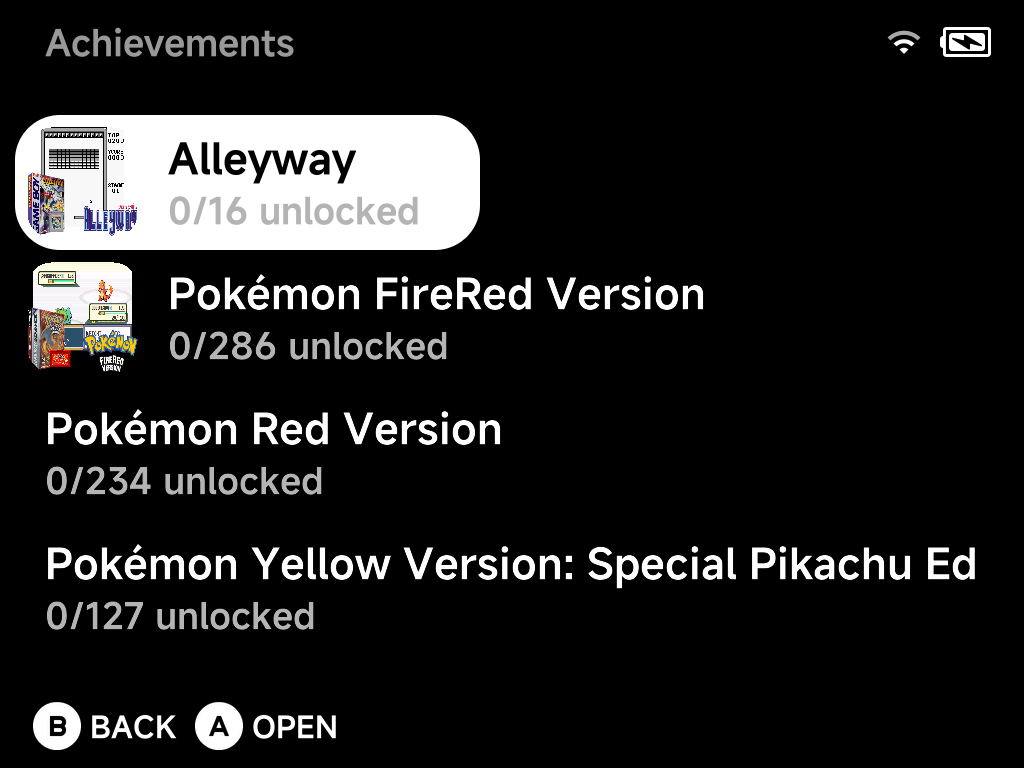
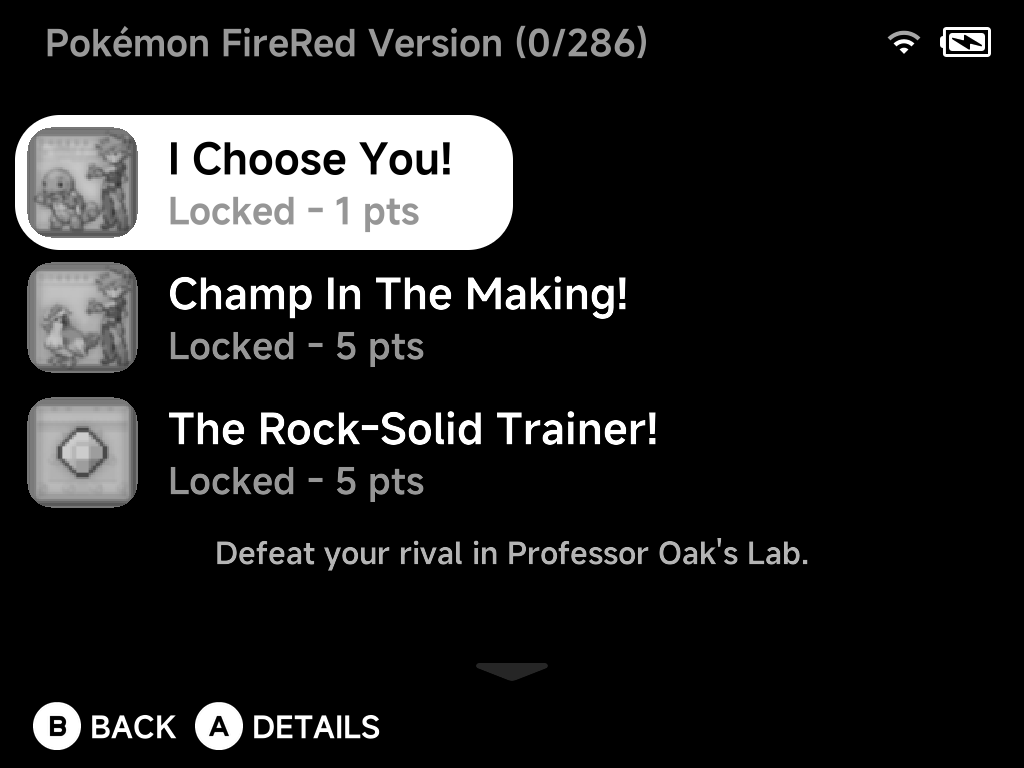
Open a game to see its achievements, each with its badge and points. The selected achievement's description shows below the list. Unlocked, pending-sync and locked achievements are all here, in your chosen sort order:
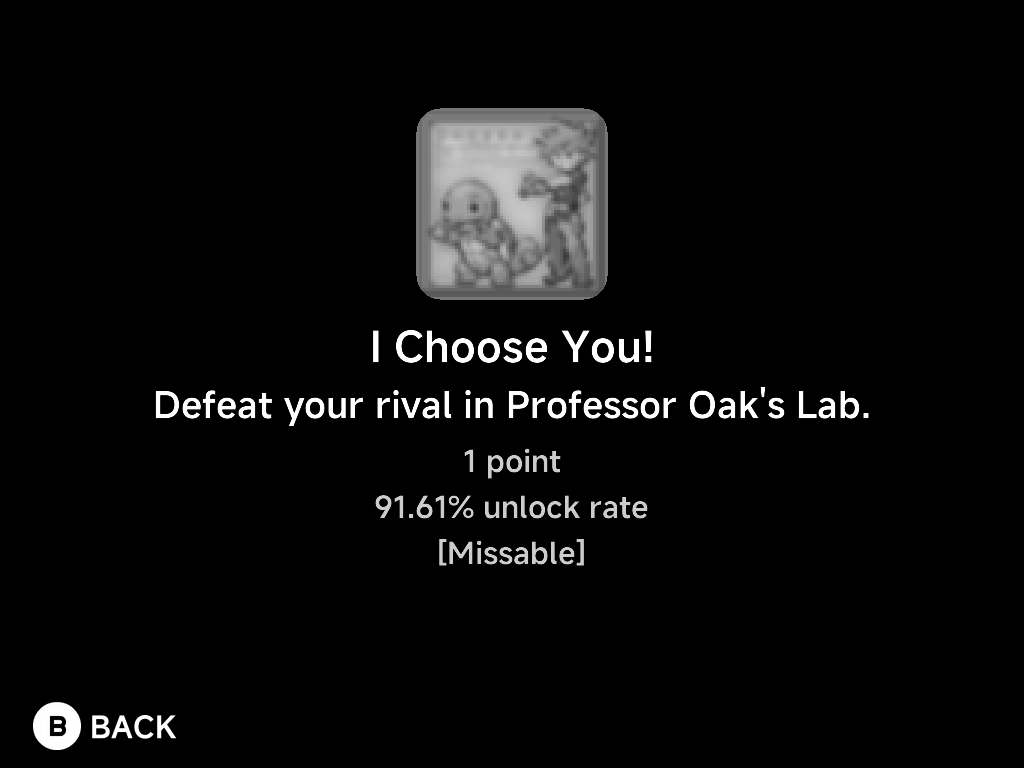
Press A for the full details of an achievement: badge, description,
points, global unlock rate, and type tags like [Missable],
[Progression] or [Win Condition]:
Syncing
Offline unlocks sync automatically, in the background, when WiFi is connected:
- when a game logs in online,
- when you open the in-game menu during an offline session,
- when you quit a game.
Nothing checks the connection while you play. A N offline achievements synced popup confirms it. If none of these get through, the unlocks wait for the next launch or for Sync now. An unlock for an achievement that has since been removed from RetroAchievements is dropped instead of retried forever.
Sync now on the home screen does two things in one go:
- Push: submits any offline unlocks still waiting.
- Pull: refreshes your cloud status, meaning the points total and the unlock state of every cached game. Achievements earned on another device or on the website show up here too. Games whose progress changed on the server are re-fetched.
Both steps show the same progress bar as Download all game data. Press
B to cancel. Unsent unlocks stay queued for the next sync, and games
already refreshed are kept.
The home screen's points, "unlocks waiting" and "Last sync" tell you where you stand.