RetroAchievements
NX Redux Mobile supports RetroAchievements, with offline play. Tools → RetroAchievements is the home for the feature: sign in, browse your achievements and change its settings there.
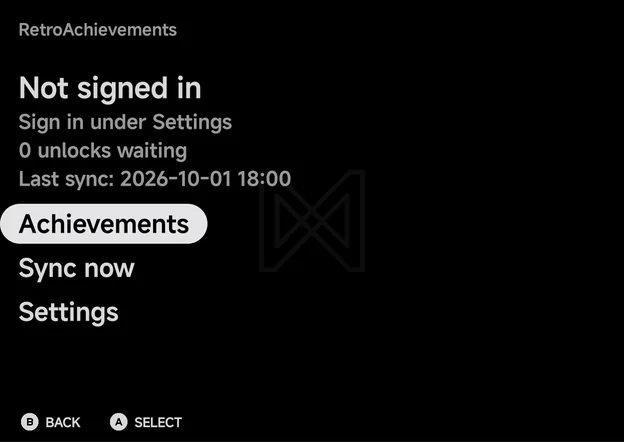
The home screen shows your username, your points, how many unlocks are waiting to be synced and when you last synced, above three rows: Achievements, Sync now and Settings. Signed out, it reads Not signed in and Sign in under Settings instead.
Softcore only
NX Redux Mobile is not an RA-approved hardcore client, so there is no hardcore mode. Unlocks count as softcore, and nothing is blocked while achievements are on: cheats and save states work as usual.
Setting up
You need a free retroachievements.org account.
- Open Tools → RetroAchievements → Settings.
- Choose Sign in, enter your Username and Password, and choose Sign in.
- Status shows Signed in as your username, and Enable achievements turns On.
The app keeps only the sign-in token RetroAchievements returns, not your password.
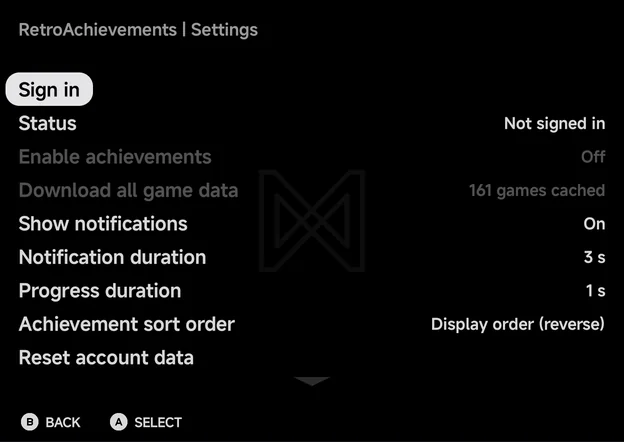
Signed out, Enable achievements and Download all game data are dimmed.
The settings page also has:
| Row | Values | Default | What it does |
|---|---|---|---|
| Enable achievements | On, Off | On after you sign in | Track achievements in games. Needs a sign-in. |
| Download all game data | — | — | Cache achievement data for your whole library. See Offline play. Needs a sign-in. |
| Show notifications | On, Off | On | Show unlock and progress notices in games. |
| Notification duration | 1–5 s | 3 s | How long achievement notices stay. |
| Progress duration | Off, 1–5 s | 1 s | How long a progress notice stays. |
| Achievement sort order | See below | Unlocked first | How achievements are sorted, here and in the in-game menu. |
| Reset account data | — | — | Sign out and forget sessions and unsynced unlocks. Game data and badges stay. |
| Erase all achievement data | — | — | Delete every cached game, badge and unsynced unlock, and sign out. |
| Reset settings to defaults | — | — | Put the notification and sort settings back to their defaults and turn Enable achievements off. You stay signed in. |
Achanges a value. On Notification duration, Progress duration and Achievement sort order,LEFT/RIGHTwork too.- Sign out, Reset account data and Erase all achievement data ask to confirm first.
- Signing out turns achievements off, and signing in again needs your password. Your unsynced unlocks, game data and badges stay.
Earning achievements
Start a recognised game and unlocks are tracked as you play.
- When the game loads, a notice shows its name and how many achievements you have, or No achievements for this game.
- An Achievement Unlocked notice with the badge pops up when you earn one.
- Progress notices, such as collectible counters, show for the Progress duration.
- The in-game menu's Options gains an
Achievements row. Browse the game's achievements there, press
Yto show only locked ones, andXto mute one achievement's notices.
More detail
With Show notifications off, unlock and progress notices, Game Mastered!, server errors and the connection lost and reconnected notices are hidden. These still show: the game loading, no achievements for this game, sign-in failed, offline at the start, first-time setup and synced unlocks.
On the Home tab
Home's stats strip counts your achievements for the month: This month, your play time, then the number of achievements you unlocked this calendar month, such as 12 achievements. Unlocks still waiting to be synced count too. Signed out, it reads Sign in instead of a number. See Home.
Offline play
- Earn offline. With no connection, unlocks are saved on the phone and count as waiting. They show as Pending sync until they reach RetroAchievements.
- Automatic sending. The next time you start a game with a connection, waiting unlocks are sent, and a notice says how many were synced.
- Cached game data. A game you have played online once keeps working offline. A game the app has never seen needs a connection the first time, and says so.
- Download all game data caches achievement data and badges for every
game in your library, so games you have never played online work offline
too. A progress bar shows each game, and
Bcancels. When it is done, a notice counts the games cached, the games without achievements and the games skipped. Zipped and 7z games are unpacked to be identified.
Syncing
Sync now on the home screen needs a connection. It does two things:
- It sends any unlocks still waiting.
- It refreshes your points and the progress of your cached games.
A notice then says how many unlocks were synced, Up to date, or Sync
failed. B cancels a sync; unlocks not yet sent stay waiting.
Browsing your achievements
Achievements on the home screen lists every cached game with its art and
progress, such as 12/40 unlocked, plus how many unlocks are pending sync.
It works offline. With nothing cached yet it shows No cached games and
Play online once or download game data in Settings.
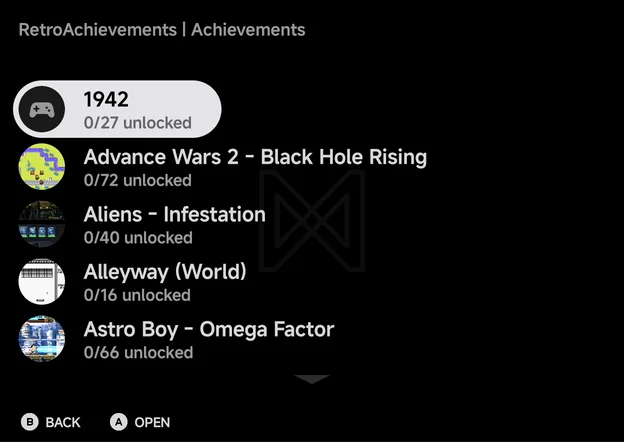
Open a game to see its achievements. Each shows Unlocked, Pending sync
or Locked, with its points, in green, amber or grey. Y switches between
Locked only and Show all.
A opens an achievement's details: its badge, description, points, when it
was unlocked or its progress, its unlock rate, its type ([Missable],
[Progression] or [Win Condition]) and whether it is muted.
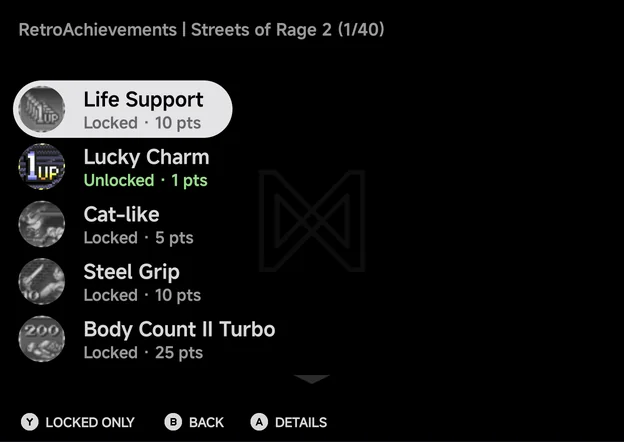
On a wide landscape screen, such as an unfolded Fold held sideways, the details show beside the list instead. See Foldables & Large Screens.
Sort orders
Achievement sort order offers: Unlocked first (the default), Display order, Display order (reverse), Most common first, Rarest first, Most points first, Fewest points first, Title A–Z, Title Z–A, Type and Type (reverse).