Launcher Mode & Android Games
NX Redux Mobile can be your phone's home screen, show your Android apps in Tools, and list your Android games as a console. All three are in Tools → Settings → Launcher.
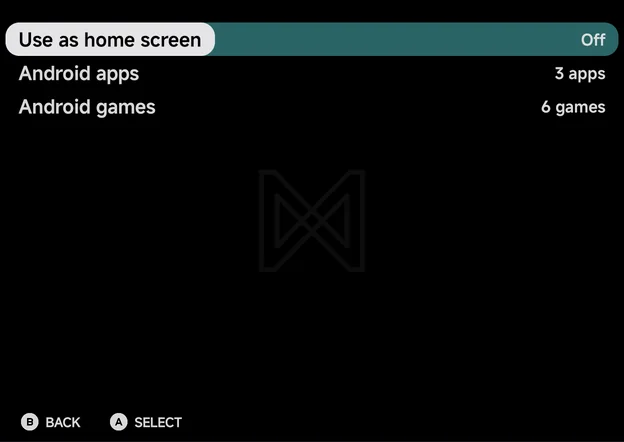
| Row | Values | What it does |
|---|---|---|
| Use as home screen | On, Off | Make the app your Android home screen. See Use as home screen. |
| Android apps | None, 1 app, N apps | Pick the apps shown in Tools. See Android apps. |
| Android games | None, 1 game, N games | Pick the apps in the Android console. See Android games. |
Use as home screen
Turn Use as home screen On and Android asks whether to make NX Redux your home app. Say yes, and the phone opens to the main menu.
While the app is the home screen:
- Home (the button or the gesture) brings you back to the main menu's Home tab.
- Back on the main menu stays where it is, since there is nothing under a home screen.
- The screen sleeps as usual on the main menu.
If you turn the question down, the row stays Off and a notice says where to set it by hand: Set NX Redux as the home app in Android settings → Default apps.
To stop using it, turn the row Off. Android's home settings open, so you can pick your old launcher again.
Android apps
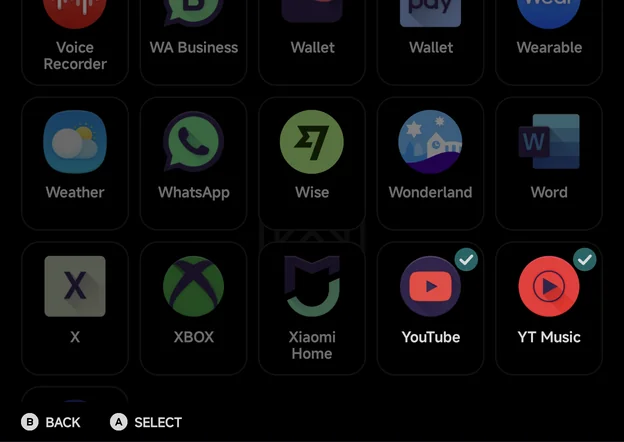
Android apps opens a grid of your installed apps. Press A, or tap, to
tick an app: ticked apps show in the Tools tab, after the built-in tools.
- An app in Tools opens like any other tool. Pin it to Home with
MENU→ Pin, as with the other tools. - Apps you put in the Android console aren't offered here.
- With no other app to show, the picker reads No apps to show.
Android games
Android games opens the same kind of grid. Apps Android marks as games come first, then every other app, so you can add any of them.
Ticked apps leave Tools and join the Android console on the Consoles tab. If one was pinned to Home as a tool, its pin moves with it.
On first setup, if you have games installed, the app asks Add N Android games to Consoles? and lists them. Choose Yes to add them all, or Not now. It asks only once. On an install that was set up before, the question may show once over the main menu instead.
The Android console
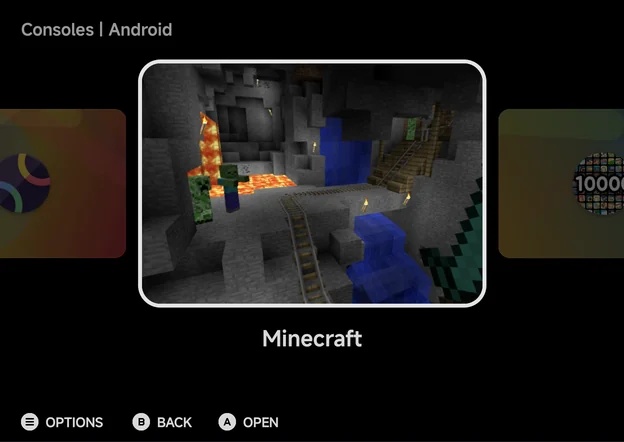
A Open starts the game's app. Android games differ from the other
consoles:
- Art: each game shows its screenshot fetched with Artwork. Until it has one, it gets abstract art made from its icon's colours.
- Not tracked: an Android game never shows on the Continue card or in the Game Switcher, and it has no play time in the Game Tracker.
- Context menu: only Pin Item or Unpin Item. A pinned Android game sits on Home with your other pinned games.
To take a game out of the console, untick it in Tools → Settings → Launcher → Android games.
Back to a running game
With a game open, tap the NX Redux icon to come back to it. The app brings the running game forward instead of starting over at the menu.