System
Power behavior, clock, save formats and system maintenance. Options marked device-dependent appear only where the hardware calls for them.
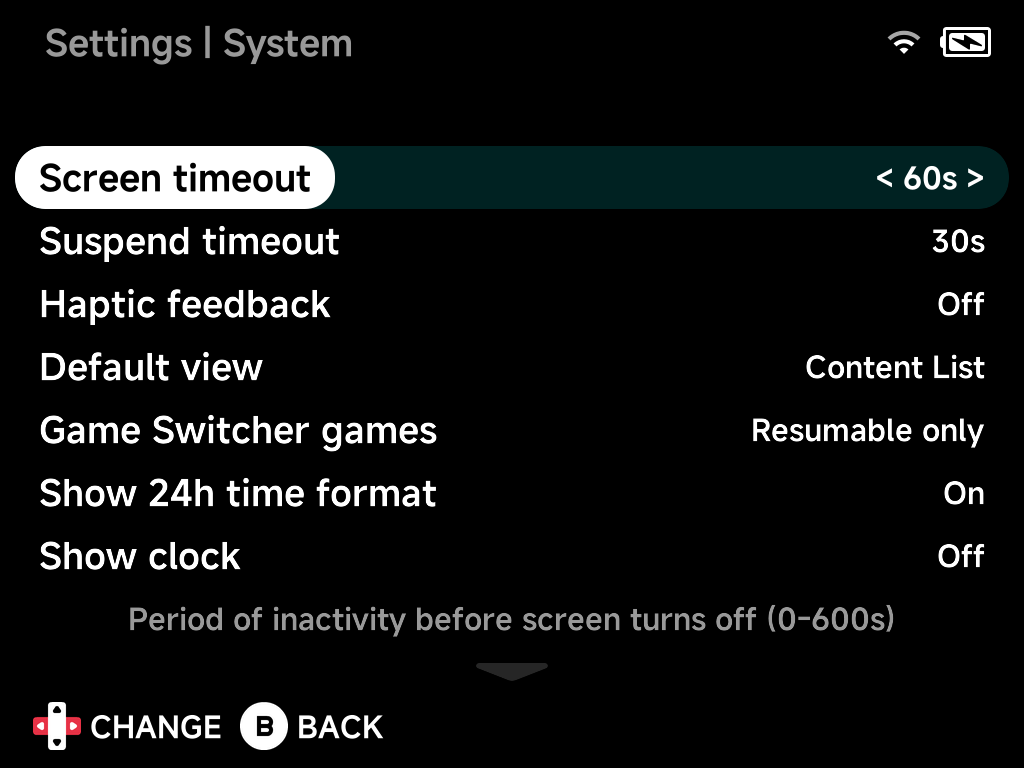
Screen timeout
Period of inactivity before the screen turns off, 0–600 s.
Suspend timeout
Time before the device goes to sleep after the screen is off, 5–600 s.
Haptic feedback
Vibration feedback for some system actions. On by default.
- A short pulse when the device goes to sleep or wakes.
- A light tap just before the power cuts on shutdown, so you know it is safe to put the device down. There is no pulse at the start of shutdown.
These pulses only fire while the Motor toggle in the On-Screen Display is on. That toggle is the master vibration switch for the whole device, games included.
Vibration strength
Light, Normal (default) or Strong. Sets how hard the motor rumbles for
everything: game rumble, the sleep and wake pulses and the shutdown tap.
Each time you change it, the motor pulses once at the new level so you can
feel it straight away.
More detail
Game rumble is often brief and partial (cartridge rumble emulation), so
Strong makes those bursts hit nearly as hard as a full one, while
Light tones everything down.
Button layout
Nintendo (default) or Xbox. Xbox puts A at the bottom and B on the
right (and Y on top, X on the left) everywhere: menus, apps, every
emulator and PortMaster.
It applies as soon as you leave Settings. Only the On-Screen Display waits for a restart. See Button Layout.
Hint labels
Shown only while the layout is Xbox. Takes effect immediately, including in
Settings itself.
Printed caps(default): button hints show the letter printed on the cap you press.Layout letters: hints show the button's role instead (Afor confirm, whichever cap that is).
Default view
The first view shown on boot: the content list or the Game Switcher.
Game Switcher games
Which recently played games appear in the Game Switcher: Resumable only
(the default) or all recent games.
Show 24h time format
Show the clock in 24-hour format.
Show clock
Show the clock in the status pill.
Set time and date automatically
Sync time via NTP (requires internet).
Set time and date manually
Adjust the date and time with the clock editor.
Time zone
Your time zone.
Save format
Format for battery saves in Saves/<TAG>/: MinUI (.sav),
Retroarch (compressed) / Retroarch (uncompressed) (.srm), or
Generic. Default: Retroarch (uncompressed), directly compatible
with RetroArch on other devices.
Save state format
Naming/format for save states: MinUI (.st0…), Retroarch-ish or
Retroarch (.state, .state1…), each compressed or uncompressed.
Default: Retroarch (uncompressed).
Use extracted file name
For zipped ROMs, use the extracted file's name instead of the archive name (affects save/state matching).
Safe poweroff
Bypasses the stock shutdown procedure to avoid the "limbo bug". (TrimUI devices.)
Restore stock files
Restores the console's factory OSD files and reverts NX boot patches, if any. The NX OSD is unaffected. (Device-dependent.)
Fan Speed
Quiet, Normal, Performance or a percentage. (Devices with active cooling — Smart Pro S.)
Refresh emulator/roms list
Clears the cached emulator/ROMs list so it rescans on the next launch.
Reset to defaults
Resets all options on this page to their default values.