Super Nintendo
NX Redux ships two Super Nintendo cores, Snes9x and Mednafen
Supafaust. You choose one per game by which Roms folder the game
is in:
| Snes9x | Supafaust | |
|---|---|---|
| Folder | Roms/Super Nintendo ES (SFC)/ |
Roms/Super Nintendo ES (SUPA)/ |
| Strength | Lighter, the default | More accurate, but heavier |
| Netplay | Yes | Yes |
| BIOS | None | None |
| File types | sfc smc swc fig bs st |
sfc smc swc fig |
Which one to use
Start with Snes9x in the SFC folder. It is the default core and the
lighter of the two.
Move a game to the SUPA folder when you want accuracy and the game
doesn't behave right on Snes9x. Supafaust is more accurate but heavier. Some
games may run less smoothly than on Snes9x, especially on lower-end devices.
More detail
Supafaust spreads its work over several CPU cores.
Satellaview and Sufami Turbo
Only Snes9x opens Satellaview (.bs) and Sufami Turbo (.st) files, so
keep those in the SFC folder.
Netplay
Both cores support Netplay, so games with a built-in multiplayer mode can be played together. Both players must use the same folder, and therefore the same core, for the game.
More detail
SNES netplay runs in lockstep mode.
Using both
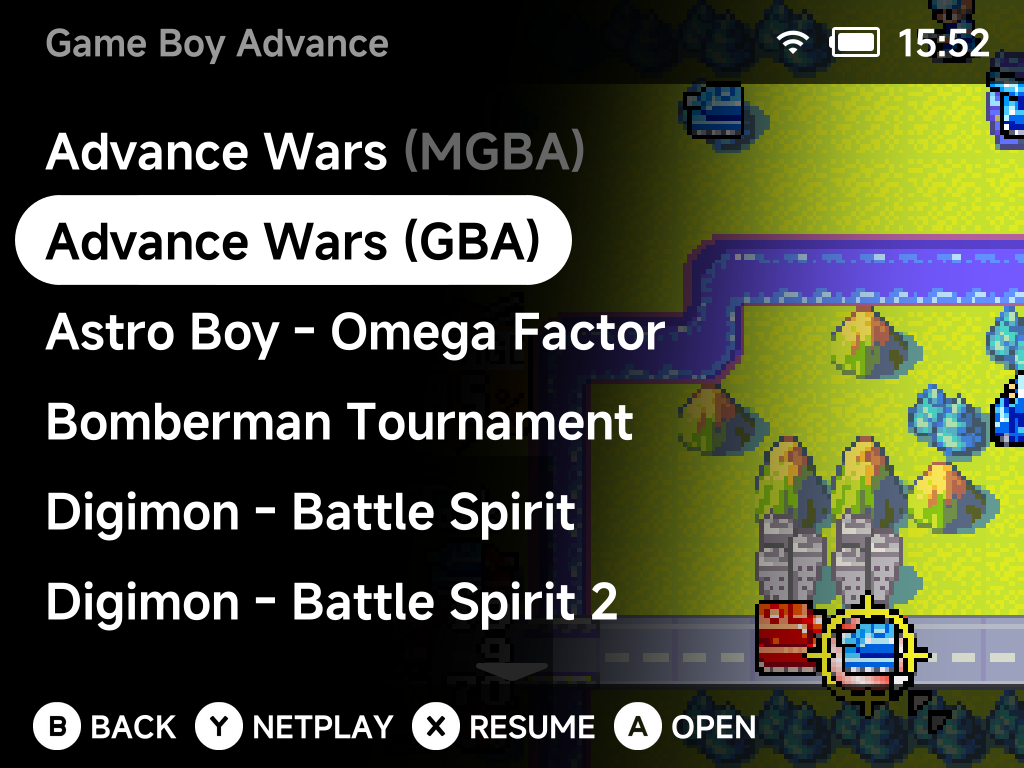
You can keep the same game in both folders. The game list then shows it
twice with the emulator tag, for example Super Mario World (SFC) and
Super Mario World (SUPA). Pick the core each time you play (see
duplicate names).
Saves are kept per folder, in Saves/SFC/ and Saves/SUPA/. To carry your
progress across, copy the game's save file from one folder to the other.
Save states cannot move between the two cores.
More detail
Battery saves are written in the RetroArch-compatible .srm format by
default, which is why the save file can be copied between the folders.