On-Screen Keyboard
Anywhere you type text, NX Redux opens the same on-screen keyboard: Search, Rename Rom in the context menu, Wi-Fi passwords in Settings → Network and the Netplay wizard, the RetroAchievements and Artwork Manager logins, and names in the Music Player and Image Viewer.
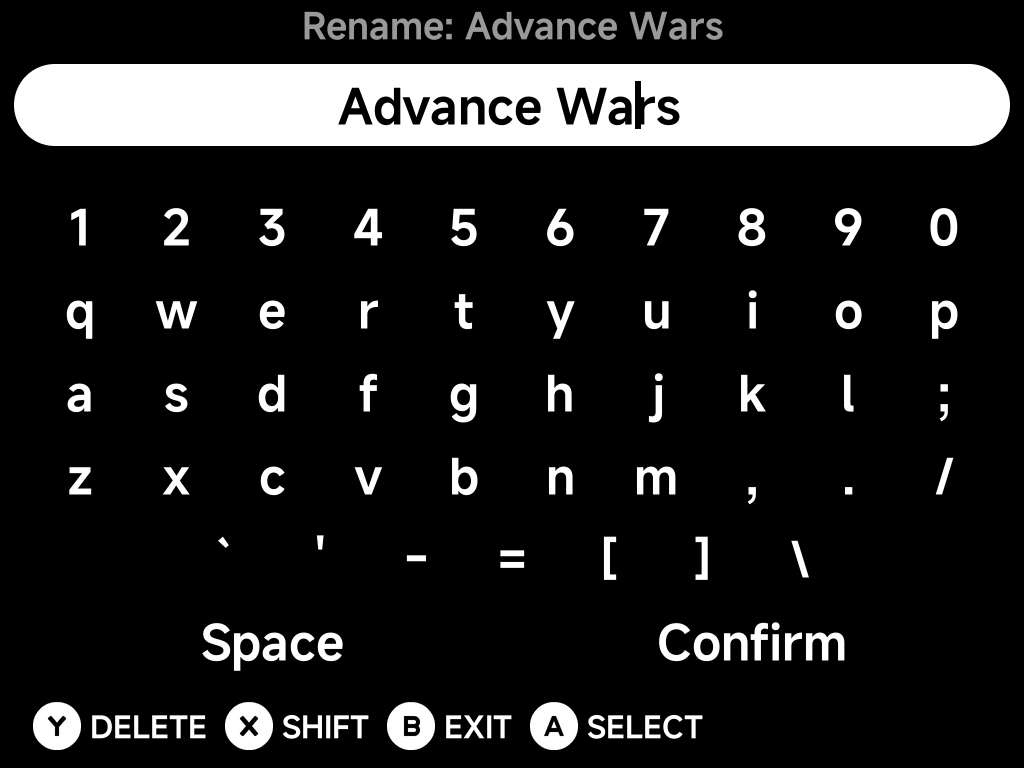
The prompt sits at the top, the text you're typing below it, then the keys.
Typing
| Button | What it does |
|---|---|
| D-pad | Move between keys |
A Select |
Type the highlighted key |
X Shift |
Switch between lower and upper case |
Y Delete |
Delete the character before the cursor; hold to keep deleting |
B Exit |
Close the keyboard without changing anything |
Choose Space for a space and Confirm when you're done. Confirming an empty line is the same as exiting.
Moving the cursor
The thin bar in the text line is the cursor: new characters go in where it
is, and Y deletes the character before it. To move it:
- Press
Upfrom the top row of keys (orDownfrom Space / Confirm). The text line lights up. - Press
Left/Rightto move the cursor one character at a time. - Press
Down(orA) to go back to the keys.
L1 / R1 also move the cursor from anywhere on the keyboard, without
leaving the keys.
Long text scrolls sideways so the cursor always stays in view.
Editing an existing name
Rename Rom opens with the game's current name already typed in, so a
small fix doesn't mean retyping the whole title. Move the cursor to the
part you want to change, or hold Y to clear it and start fresh.
Confirming the name without changing it leaves the game as it was.