Appearance
Tools → Settings → Appearance sets the look of the app: the on-screen
pad, the text size, the colours and the menu layouts. Right and A
step the highlighted row to its next value, and Left to the previous one.
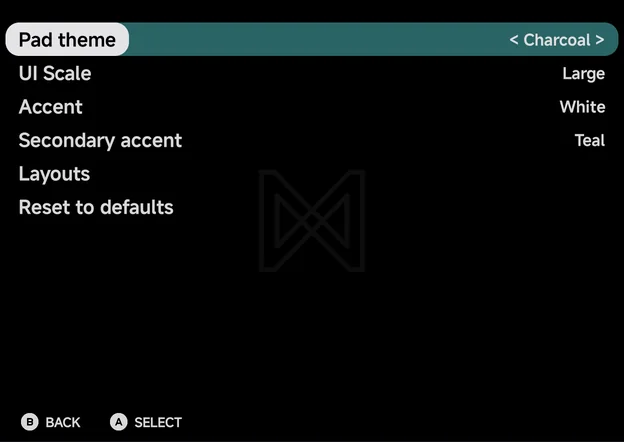
| Setting | Values | Default |
|---|---|---|
| Pad theme | Charcoal, Retro | Charcoal |
| UI Scale | Large, Small | Large |
| Accent | White, Red, Orange, Amber, Lime, Teal, Sky, Violet, Pink | White |
| Secondary accent | Auto, then the same nine colours | Teal |
| Layouts | Opens the Layouts page | |
| Reset to defaults |
Pad theme
The colours of the on-screen pad in portrait, in the menus and in games.
- Charcoal (default): the dark pad.
- Retro: a light grey body with magenta face buttons.
The landscape button clusters always stay Charcoal. Their opacity is set per game or console with Pad Opacity (landscape) in the in-game Frontend options, not here. See Controls for the pad itself.
UI Scale
The size of the text across the app.
- Large (default): bigger text, fewer rows per screen.
- Small: smaller text, more rows per screen.
The page titles and the hint bar keep their size at both scales. On Home, the text also follows Android's own font size setting.
Accent
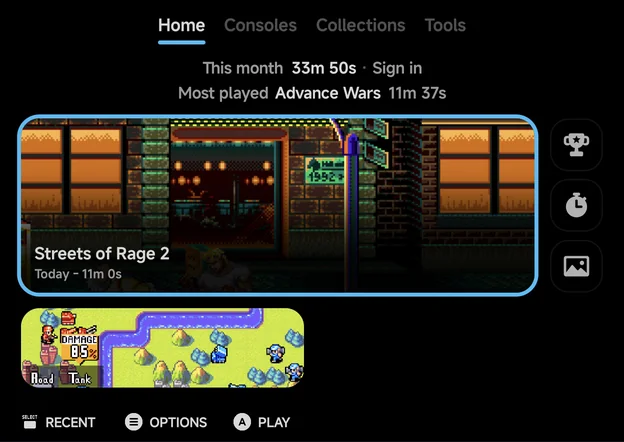
The selection colour. The highlight on the selected row, tile or card, and the line under the current tab, draw in it. It also colours Home's Pick a game picture and the in-game menu.
There are nine colours: White, Red, Orange, Amber, Lime, Teal, Sky, Violet and Pink. White is the default.
Home with the Sky accent
Secondary accent
The colour of the bar behind a selected setting's value, as in < Charcoal > above. It shows on the Settings pages, a game's Game Settings and the in-game menu.
- Teal is the default.
- Auto uses a darker shade of the Accent. With the White accent, Auto gives Teal.
- The nine Accent colours can be picked here too.
Layouts
Opens the Layouts page: the style of each main menu tab and of the game lists.
Reset to defaults
Puts every option on this page back to its default, and resets the Layouts page too. It does not ask first.