Netplay
NX Redux includes Netplay
for local multiplayer. When a game supports it, the hint bar in
the game list shows Y NETPLAY (hide the hint in
Settings → Appearance; Y still
works):
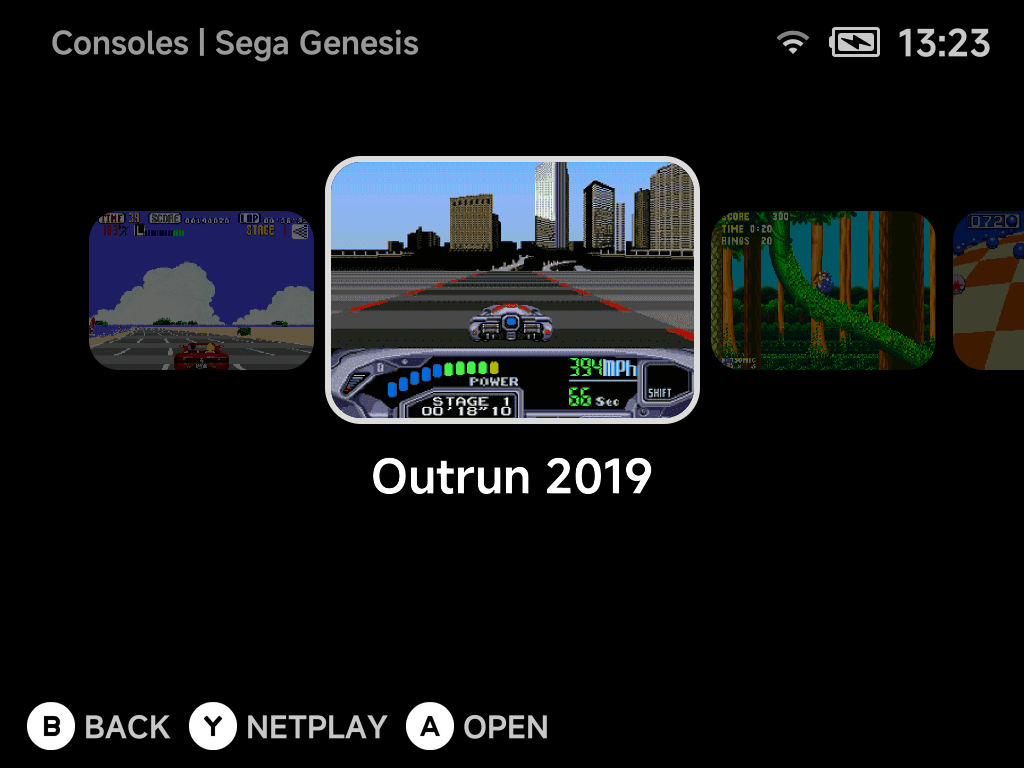
Press Y to host or join over Wi-Fi, a hotspot hosted by one device, or a
USB cable between the two devices. There
is no IP to type and no persistent toggle to remember to turn off. Saves are
handled for you; see Saves.
Starting a session
- Both players pick the same game in their game list and press
Y. -
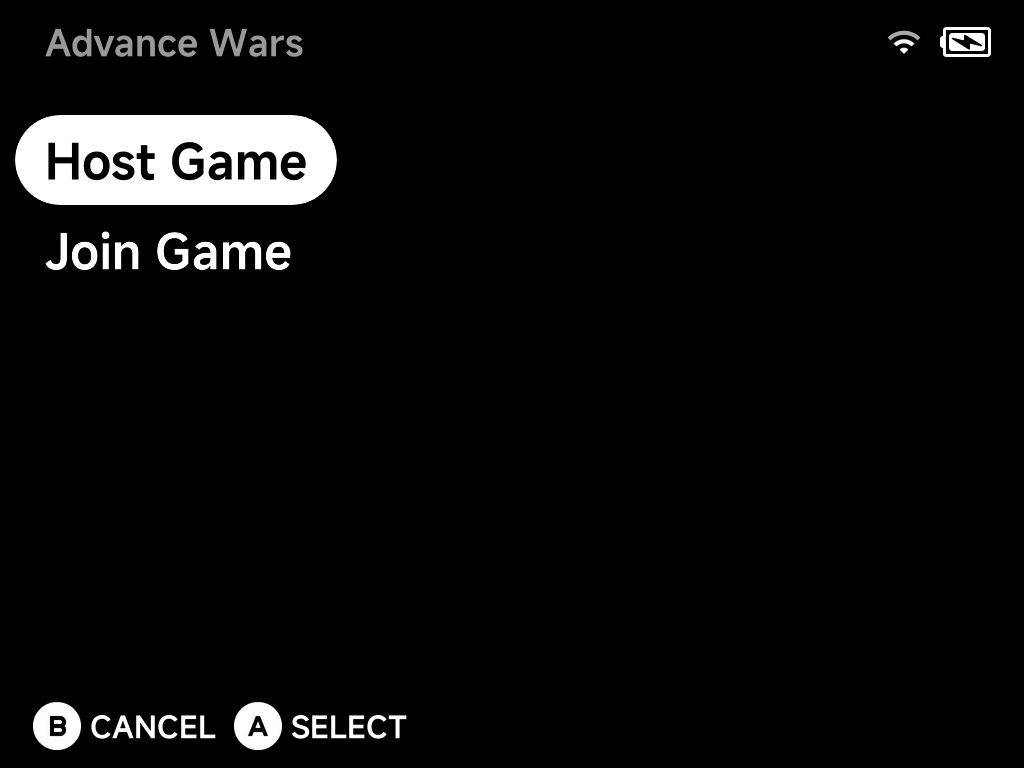
One player chooses Host Game, the other Join Game.
-
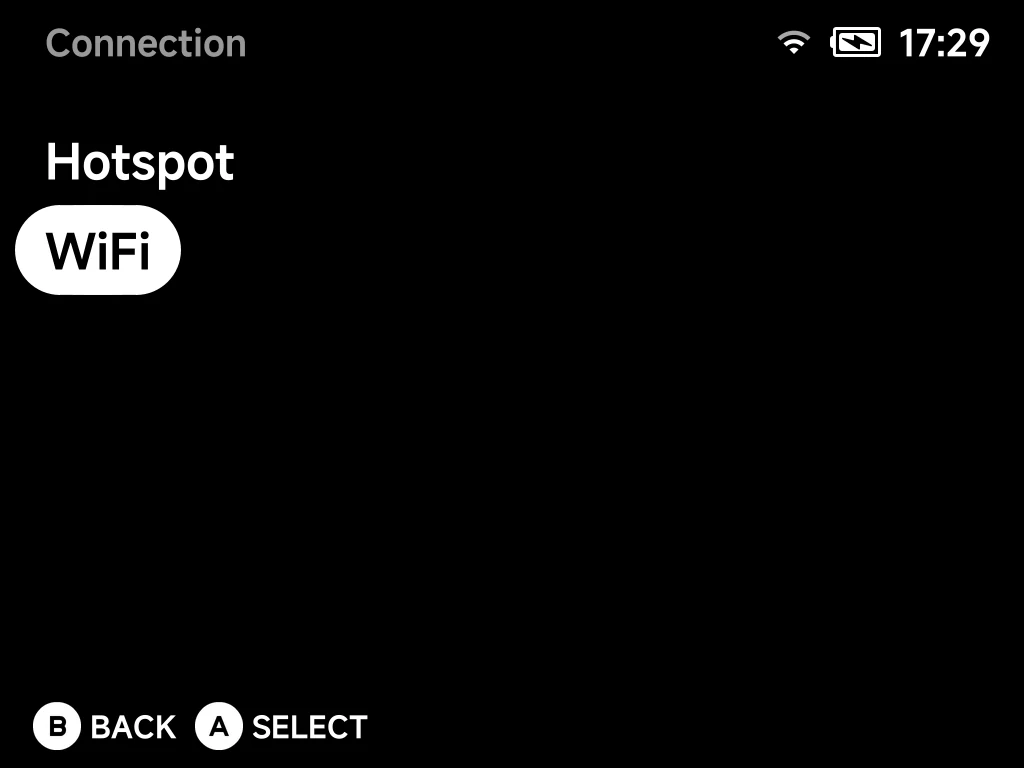
Both players choose how to connect: USB Cable (a cable between the two devices), Hotspot (hosted by one device) or WiFi (the local network).
-
Connect, depending on what you chose:
- USB Cable: nothing to pick. Both screens wait for the cable link, then connect on their own. See USB Cable.
- Hotspot: the host shows a code; the joiner picks that code.
-
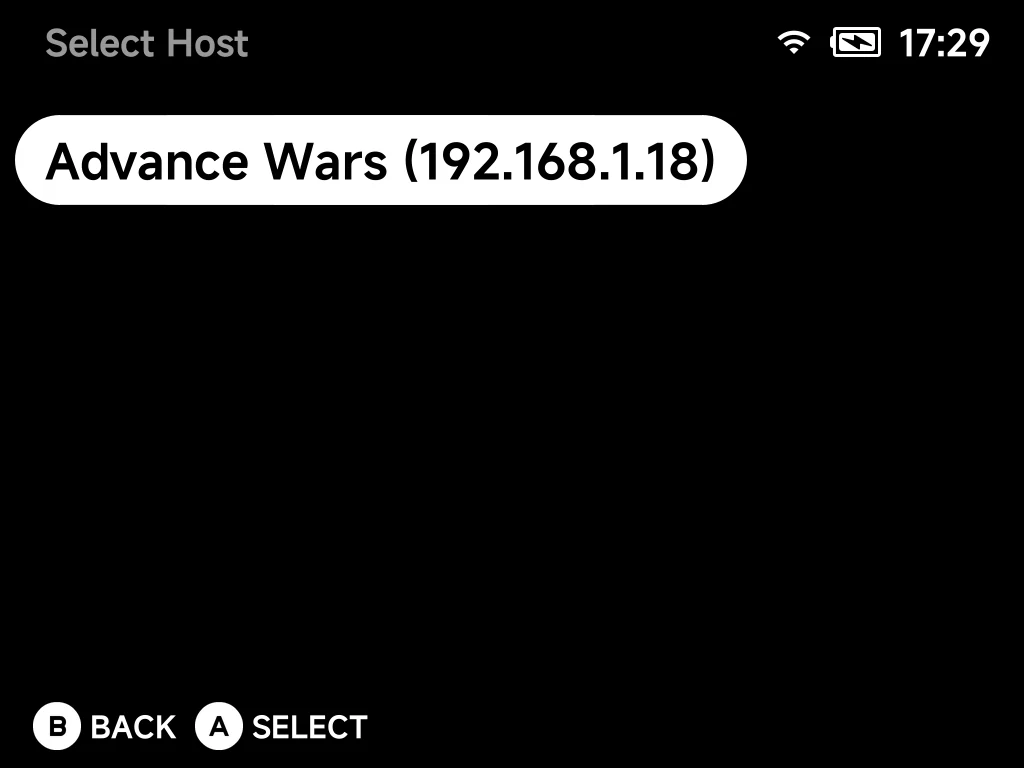
WiFi: the joiner picks the host from the Select Host list. Devices on the same network find each other automatically.
-
Save data syncs, then the match starts.
USB Cable
No Wi-Fi nearby, or a laggy one? Connect the two devices with a USB-C to USB-C data cable instead. A cable is much steadier than Wi-Fi.
- Plug the cable into the top USB-C port of one device and the bottom USB-C port (the charging port) of the other. Either device can take either end.
- Both players pick the same game, press
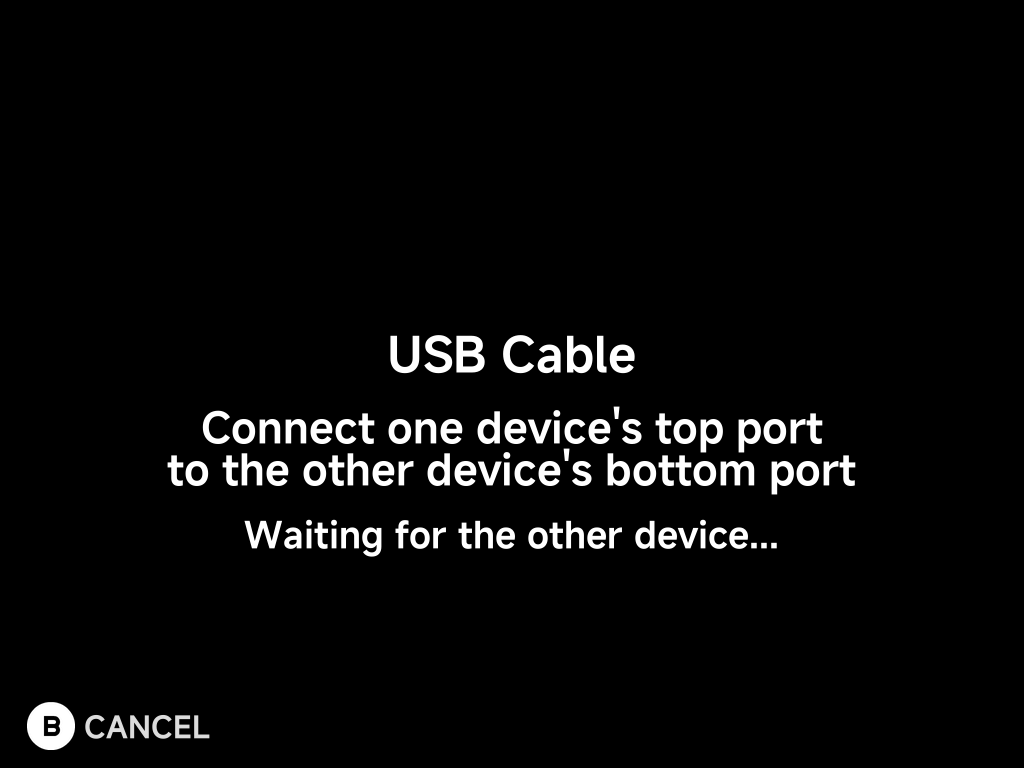
Yand choose Host Game or Join Game as usual. - Both players choose USB Cable. The screen shows Waiting for the other
device… until the cable link is up. You can plug the cable in now if you
haven't yet. Press
Bto cancel. - There is no host list: the joiner connects straight to the other device. Save data syncs over the cable, then the match starts.
- 2 players only. One cable connects two devices.
- Start both devices charged. The device with the cable in its top port powers the other one's USB connection. The bottom-port device does not charge from it during the session (charging over the cable can drop the link) and runs on its own battery; it charges normally again afterwards.
- Same NX Redux version on both. Otherwise the wizard shows Both devices need the same NXRedux version.
Host and Join don't depend on the cable
Host Game and Join Game have nothing to do with which device has the cable in its top port. Pick them as you like.
More detail
- Tested between the Brick and the Smart Pro S in both cable directions. The Brick Pro runs the same software as the Brick.
- With both ends in top ports, or both in bottom ports, the devices won't connect — the wizard just keeps waiting. Move one end.
- Pulling the cable out mid-game ends the session, the same as a lost Wi-Fi connection.
- Over the cable the devices answer each other in about 1 ms, with no dropped packets. Wi-Fi through a router has occasional spikes of 70–190 ms and some loss.
Game Boy Advance link cable over USB
Over a USB cable, Game Boy Advance games (gpSP, Game Boy Advance (GBA)
folder) get a real link cable between the two devices, not just the
built-in emulation of a few games. Cable link play works as on real
hardware, for example:
- Pokémon Ruby, Sapphire and Emerald trades and battles in the Cable Club
- Cross-game trades such as FireRed or LeafGreen with Ruby or Sapphire
- Mario Kart: Super Circuit races and The Legend of Zelda: Four Swords
With the link mode left on Automatic, games that support the wireless adapter (FireRed, LeafGreen, Emerald) keep using it, so the Union Room works as before. For a cable trade between FireRed/LeafGreen and Ruby/Sapphire the host sets the game's link option to Link Cable - Real (USB only) before starting the session. The joiner follows the host's choice for that session only: its own link setting is unchanged, and its next game uses it again.
More detail
- Wi-Fi and Hotspot sessions keep the previous Game Boy Advance link emulation. The real cable needs the USB connection's speed.
- The two games run in step, transfer by transfer, as two GBAs on a cable do. During link play the CPU runs at full speed to keep that smooth.
- Cross-game trades between FireRed/LeafGreen and Ruby/Sapphire also need the game's own requirements, such as the National Pokédex in FireRed.
mGBA link
Games in the Game Boy Advance (MGBA) folder (the mGBA core) link two
ways, depending on the game:
- Games with a Wi-Fi mode link over Wi-Fi or Hotspot as well as the
USB Cable. These are the games gpSP also links with the wireless adapter
(Pokémon FireRed, LeafGreen and Emerald, including the Union Room, and
other wireless adapter games) and the Pokémon (Ruby, Sapphire and so on)
and Advance Wars 1 and 2 link cable games. After
Y, the Connection screen offers all three connections. - Other cable games such as Mario Kart: Super Circuit, The Legend of Zelda: Four Swords and Golden Sun link over the USB Cable only, as a real link cable. The Connection screen offers just USB Cable.
Over the USB Cable, wireless adapter games use the wireless adapter on mGBA too, as on gpSP, so the Union Room works over the cable. Other cable play (Pokémon trades and battles, cross-game trades, Four Swords) works the same way as on gpSP, for 2 players.
- A gpSP player and an mGBA player can link when both of their games use the same Wi-Fi mode, such as FireRed on one and LeafGreen on the other in the Union Room. If the games don't use the same mode, or the game has no Wi-Fi mode, use the same folder on both devices: both screens say which emulator the other player is using and go back to the game list.
- Both devices need this version of NX Redux. An older device keeps the earlier behaviour (mGBA over the USB Cable only). Linking mGBA over Wi-Fi or Hotspot with an older device is refused with a message.
More detail
- The wizard works out the game's Wi-Fi mode from the ROM before it offers the connections. There is nothing to set: the mode is picked for you.
- Wi-Fi and Hotspot aren't offered for cable games that have no Wi-Fi mode because the real cable needs the USB connection's speed.
- Saves,
MENUpause, the leave countdown and charging work as for the gpSP link cable above. - On the Smart Pro S, an mGBA link session keeps the faster CPU cores awake (solo mGBA play doesn't), so it uses a little more battery.
Supported systems
Netplay works only on the cores below. The Y NETPLAY hint appears only for
games in these Roms folders. Systems not in the table (Nintendo DS, Virtual
Boy, Neo Geo Pocket, the Atari and Commodore machines, and so on) have no
netplay.
| System | Roms folder |
Core | Netplay type |
|---|---|---|---|
| Game Boy | Game Boy (GB) |
gambatte | GB Link — link cable games (Pokémon trades and battles, etc.) |
| Game Boy Color | Game Boy Color (GBC) |
gambatte | GB Link — link cable games |
| Game Boy Advance | Game Boy Advance (GBA) |
gpSP | GBA Link — wireless adapter and link cable games |
| Game Boy Advance | Game Boy Advance (MGBA) |
mGBA | GBA Link — link cable games; Wi-Fi and Hotspot for games with a Wi-Fi mode |
| Nintendo ES | Nintendo ES (FC) |
FCEUmm | Lockstep |
| Famicom Disk System | Famicom Disk System (FDS) |
FCEUmm | Lockstep |
| Super Nintendo ES | Super Nintendo ES (SFC) |
Snes9x | Lockstep |
| Super Nintendo ES | Super Nintendo ES (SUPA) |
Mednafen Supafaust | Lockstep |
| Sega SG-1000 | Sega SG-1000 (SG1000) |
PicoDrive | Lockstep |
| Sega Master System | Sega Master System (SMS) |
PicoDrive | Lockstep |
| Sega Game Gear | Sega Game Gear (GG) |
PicoDrive | Lockstep |
| Sega Genesis | Sega Genesis (MD) |
PicoDrive | Lockstep |
| Sega CD | Sega CD (SEGACD) |
PicoDrive | Lockstep |
| Sega 32X | Sega 32X (32X) |
PicoDrive | Lockstep |
| Sega (Genesis Plus GX) | Sega … (GPGX) folders |
Genesis Plus GX | Lockstep |
| Sony PlayStation | Sony PlayStation (PS) |
PCSX-ReARMed | Lockstep |
| Sony PlayStation | Sony PlayStation (PSX) |
SwanStation | Lockstep |
| Arcade | Arcade (FBN) |
FBNeo | Lockstep |
| Nintendo 64 | Nintendo 64 (N64) |
Mupen64Plus-Next | Lockstep, 2 players (details) |
| Sega Dreamcast | DreamCast (DC) |
Flycast | GGPO rollback, 2 players (details) |
Both players must use the same system folder (and so the same core) for the same game.
| Netplay type | What it means |
|---|---|
| Lockstep | Both devices run the same game and swap controller input every frame. Suits games with a built-in multiplayer mode. |
| GGPO (Dreamcast) | Rollback netplay. Stays responsive over Wi-Fi. |
| GB Link / GBA Link | Emulates the link cable (and, for GBA, the wireless adapter). Trading and versus battles in single-player cartridges work between two devices. |
Game Boy Advance and Super Game Boy
For Wi-Fi, Hotspot or the Union Room, play from Game Boy Advance (GBA)
(gpSP), or from Game Boy Advance (MGBA) for games with a
Wi-Fi mode. Other MGBA games are USB Cable only.
Super Game Boy (SGB) has no
netplay: put Game Boy games in Game Boy (GB) / Game Boy Color (GBC)
for link play.
More detail
- Lockstep is classic frame-synchronised netplay.
- GGPO keeps things responsive because each device runs ahead on its own input and quietly corrects when the other player's input arrives.
- NX Redux ships two Game Boy Advance cores in two
Romsfolders: gpSP inGame Boy Advance (GBA)and mGBA inGame Boy Advance (MGBA).
Different versions of one game
You can join a host running a sister version of your game, such as Pokémon FireRed and LeafGreen. The joiner is asked first:
The host is running Pokemon - LeafGreen
You are running Pokemon - FireRed
Join anyway?
Press A to join or B to go back to the host list. On a Hotspot join
the same question appears while connecting.
Only confirm when you know the two games link
The wizard cannot tell a sister version from a genuinely different game. A real mismatch fails inside the game, not in the wizard.
More detail
- The join step checks that both devices run the same game by comparing
the ROM file names. It ignores case, punctuation and anything in
brackets, so
Pokemon - FireRed (USA).gbapairs withpokemon_firered.gbawithout any renaming. - Two versions of a game have different names: Pokémon FireRed and LeafGreen, Ruby and Sapphire, Gold and Silver. Those link fine on real hardware, so picking such a host is allowed.
- Both devices must run an NX Redux build that includes this prompt. An older host still answers "The host is running a different game." and the join is refused.
- Both devices must also run the game on the same emulator, so pick it
from the same folder on both:
MDwithMD,GPGXwithGPGX,SFCwithSFC,PSwithPS. If the folders differ, the wizard says so on both screens (for example "The host is using Genesis Plus GX (GPGX folder).") and nothing starts. On Wi-Fi or Hotspot the host's lobby stays open for the other players.
Saves
A netplay session never overwrites your own save file.
| Netplay type | Whose save is used |
|---|---|
| Lockstep cores and Sega Dreamcast | The host brings the save. Both devices start from the host's progress. |
| GB Link and GBA Link | Nothing is copied. Each device keeps and plays on its own save. |
Give each device its own save
Two Pokémon games with identical saves share a Trainer ID and refuse to trade.
More detail
- Lockstep and Dreamcast: at the start the host's save is copied to the
joiner. The host plays on its real save as usual. The joiner plays on
that copy in a scratch area, and its own save in
Saves/is left exactly as it was. - The copy matters because some of these cores (the Sega and PlayStation ones) keep battery saves outside the shared game state. Without it the two devices could drift out of sync.
- On Dreamcast the host's save includes the memory card and console settings, and both devices agree on a BIOS. See Dreamcast → Netplay.
- GB Link and GBA Link: link-cable play needs each device to keep its own save.
During a session
Save states, fast-forward, rewind and reset are turned off during a session to protect the connection.
Pressing MENU doesn't open the full in-game menu. It asks Leave netplay?:
| Button | What it does |
|---|---|
B or MENU Continue |
Goes back to the game |
A Leave |
Ends the session and returns you to the game list |
- On most systems both players pause while the question is open, with no time limit.
- After one player leaves a Lockstep game, the other can keep playing on their own.
- On Game Boy Advance link (GBA Link, wireless adapter or cable) the other player's game freezes on its last frame while the question is open, so the link survives the pause. The question counts down and you leave automatically after 20 seconds.
- On Dreamcast the other player's game waits for you. The question counts down and you leave automatically after 20 seconds. The other player sees Netplay ended right away.