Emulators
Every core is bundled in the app. There is nothing to download. Folder and tag names match NX Redux on the handheld.
| System | Tag(s) | Core |
|---|---|---|
| Nintendo DS | NDS |
melonDS DS |
| Nintendo 64 | N64 |
Mupen64Plus-Next |
| PlayStation Portable | PSP |
PPSSPP |
| Game Boy / Game Boy Color | GB, GBC |
Gambatte |
| Game Boy Advance | GBA |
gpSP |
| Game Boy Advance, Super Game Boy | MGBA, SGB |
mGBA |
| NES / Famicom Disk System | FC, FDS |
FCEUmm |
| Super Nintendo | SFC |
Snes9x |
| Super Nintendo | SUPA |
Supafaust |
| Genesis / Mega Drive, Master System, Game Gear, SG-1000, Sega CD | MD, SMS, GG, SG1000, SEGACD |
Genesis Plus GX |
| Sega 32X | 32X |
PicoDrive |
| Dreamcast, NAOMI, Atomiswave | DC |
Flycast (see Sega Dreamcast) |
| PlayStation | PS |
PCSX-ReARMed |
| Neo Geo Pocket / Color | NGP, NGPC |
RACE |
| PC Engine / TurboGrafx-16 | PCE |
Beetle PCE Fast |
| Virtual Boy | VB |
Beetle VB |
| Atari Lynx | LYNX |
Handy |
| Atari 2600 | A2600 |
Stella 2014 |
| Atari 5200 | A5200 |
a5200 |
| Atari 7800 | A7800 |
ProSystem |
| Pokémon Mini | PKM |
PokeMini |
| WonderSwan Color | WSC |
Beetle WonderSwan |
| PICO-8 | P8 |
fake-08 |
| Doom | PRBOOM |
PrBoom |
| ColecoVision | COLECO |
Gearcoleco |
| Arcade | FBN |
FinalBurn Neo |
| Android | none | The game's own app (see Launcher Mode & Android Games) |
Android shows as a console once you add Android games. They are apps installed on your phone, and the app starts them for you. They have no core and no folder.
Choosing an emulator
Two consoles have a second emulator, each with its own tag:
| Console | Tags |
|---|---|
| Game Boy Advance | GBA (gpSP), MGBA (mGBA) |
| Super Nintendo ES | SFC (Snes9x), SUPA (Supafaust) |
- A folder named with a tag, such as
Game Boy Advance (MGBA), uses that tag. - For folders without a tag, pick the emulator in Tools → Settings → Emulators → Default emulators.
- For one game, press
MENUon it in a game list and pick Emulator. This choice wins over both.
The tag is where saves and settings are kept. To set a core's options outside a game, for a whole console or for one game, see Emulator Settings.
Sega Genesis
Sega Genesis uses the MD tag, and the app creates
Roms/Sega Genesis (MD)/. Genesis, Master System, Game Gear, SG-1000 and
Sega CD all run Genesis Plus GX. Only 32X runs PicoDrive.
Coming from a legacy GPGX folder
A legacy Sega Genesis (GPGX) folder from the handheld still lists under
Sega Genesis and plays, with its saves in the legacy Saves/GPGX/.
The app never offers the legacy GPGX tag as an emulator. Read
the FAQ
before you move those games to the MD folder.
Controller Type
Sega Genesis, Sega CD and 32X games have Controller Type in the in-game menu's Options → Console Settings:
| Value | What the game sees |
|---|---|
| Auto (default) | A 6-button pad only for games made for one, else a 3-button pad |
| 3 buttons | A 3-button pad |
| 6 buttons | A 6-button pad |
Some older games misbehave with a 6-button pad. The on-screen pad changes to
match: A B C on a 3-button pad, plus X Y Z and Mode on a
6-button pad (Y and Z are on the shoulder buttons, and Mode is in
place of SELECT). See Controls.
Nintendo 64
The Nintendo 64 maps a controller by name: the button printed A is the
N64's A on every controller.
| Controller | Nintendo 64 |
|---|---|
A, B |
A, B |
X |
C-Left |
Y |
C-Down |
L1, R1 |
L, R |
L2 |
Z |
START |
START |
| Right stick | The C buttons |
- The on-screen pad draws a C-button diamond, with
ZonL2. R2andSELECTdo nothing on the N64.- N64 has no Controller Layout setting. Every other console maps face buttons by position; see Controls.
BIOS files
Put BIOS files in Bios/<TAG>/.
- These systems need their BIOS: Famicom Disk System, Sega CD, PC Engine CD,
ColecoVision (
Bios/COLECO/colecovision.rom) and Dreamcast (Sega Dreamcast). - The app checks for it before launch and names the missing file, such as Sega CD needs a BIOS: put bios_CD_U.bin (or bios_CD_E.bin, bios_CD_J.bin) in Bios/SEGACD/.
- PlayStation has a BIOS built in, and uses a real one when present.
More detail
A launch also reads the folders of tags that share its core. So a
handheld's layout (Bios/FC/disksys.rom, Bios/MD/bios_CD_*.bin,
Bios/PS/psxonpsp660.bin) works unchanged.
Zip and 7z files
An archive holding one game plays on every core. An archive with one game beside extras, such as a readme, plays too.
Archives with several games, a password, or a game the chosen core can't run are refused with a message.
More detail
The app unpacks the archive on first launch. Saves use the archive's name, as on the handheld. The unpacked copies are trimmed automatically; see Unpacked games cache.
Arcade sets are the exception. For FinalBurn Neo, NAOMI and Atomiswave the zip is the game, and it is never unpacked.
Multi-disc games
A multi-file disc (.cue, .gdi) or a disc list (.m3u) loads as one game.
To change disc, open the in-game menu. For a
game with more than one disc it shows a Disc row under Continue, with
the disc in the drive, such as 1/2. LEFT / RIGHT change the disc, as
opening the lid and swapping it would. The disc choice is not saved.
Arcade (FBNeo)
- An arcade set's zip or 7z is the game and is never unpacked.
- Parent and BIOS sets, such as
neogeo.zip, are read from the same folder or fromBios/FBN/. BIOS sets are not listed as games. - A missing BIOS set stops the launch with a message. A missing parent set does not: the game is tried without it.
- Games show their arcade titles, with bracketed text dropped as on the handheld.
- Arcade has no cheats.
NAOMI and Atomiswave games run on Flycast instead, from the Dreamcast folder. See Sega Dreamcast.
Nintendo DS
Nintendo DS runs melonDS DS. The core draws both screens and the app lays them out.
The layout options are in the in-game menu under Options → Console Settings. Like the other options, they are kept per game or console with Save Changes. Screen Scaling and the screen offsets don't apply to the DS screens.
Portrait layouts
Layout (portrait) sets how the two screens share a portrait screen:
| Layout | What you see |
|---|---|
| Auto (default) | Stacked when both screens fit the width, else Picture in picture. |
| Picture in picture | One screen big, the other small in a corner. |
| Stacked | One screen above the other. |
| Single screen | Only the big screen. |
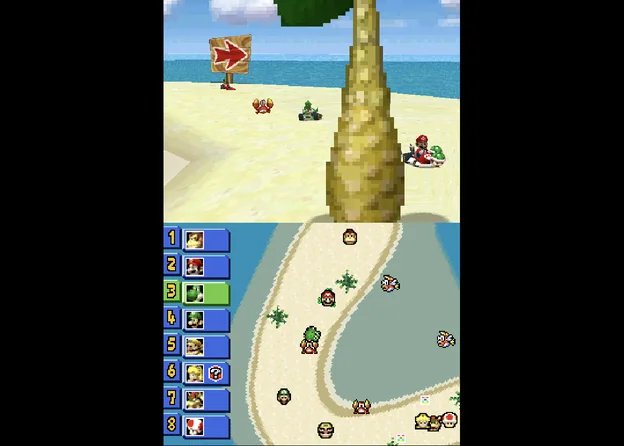
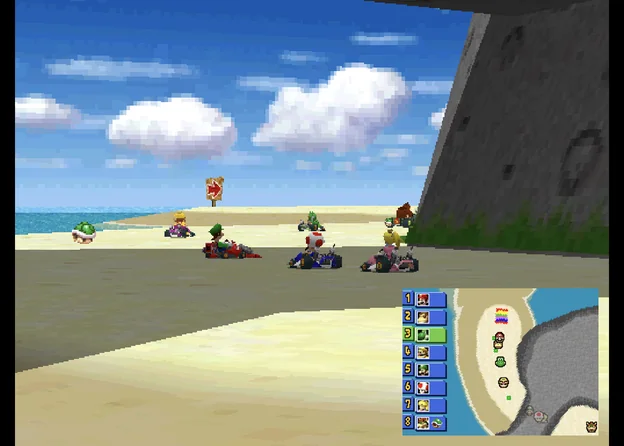
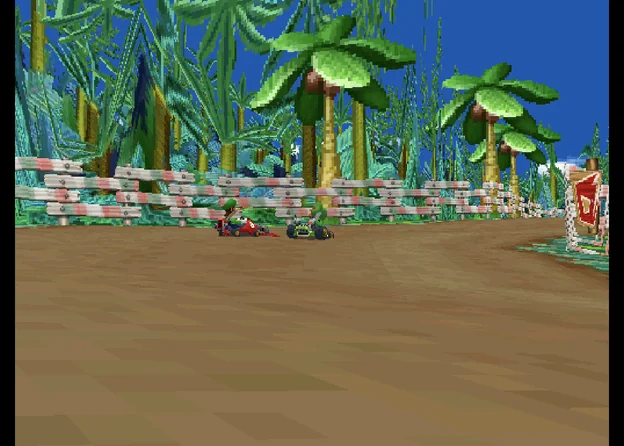
With a controller connected in portrait, the on-screen pad band goes away, so the screens get the full height. Layout (portrait, controller) is used instead. Its choices are the same, and its default is Stacked.
A clip-on controller that holds the phone keeps the pad band and the normal portrait layout. The GameSir Pocket Taco is recognised as one. The 8BitDo FlipPad is expected to be recognised too.
Landscape layouts
Layout (landscape) sets how the two screens share a landscape screen:
| Layout | What you see |
|---|---|
| Side by side (default) | Each screen takes half the width. |
| Single screen | The big screen only, centred. |
| Picture in picture | The big screen centred, the other small in a corner. |
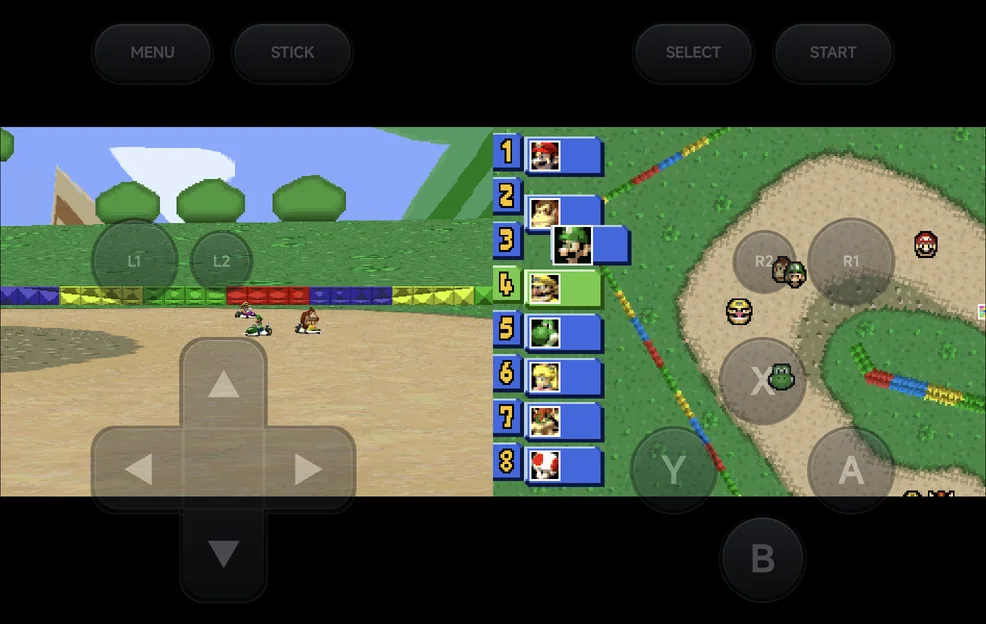
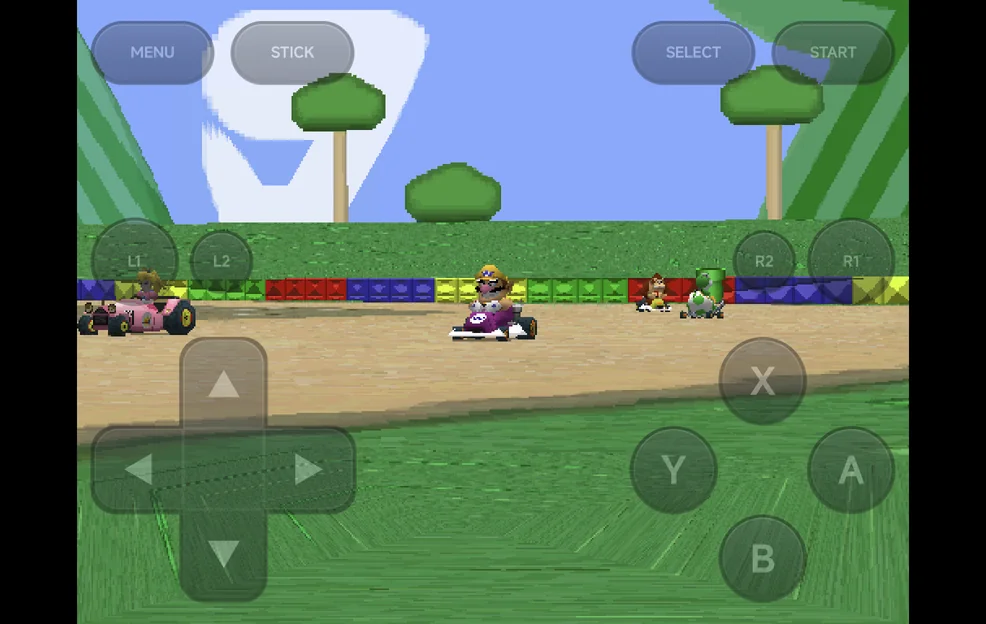
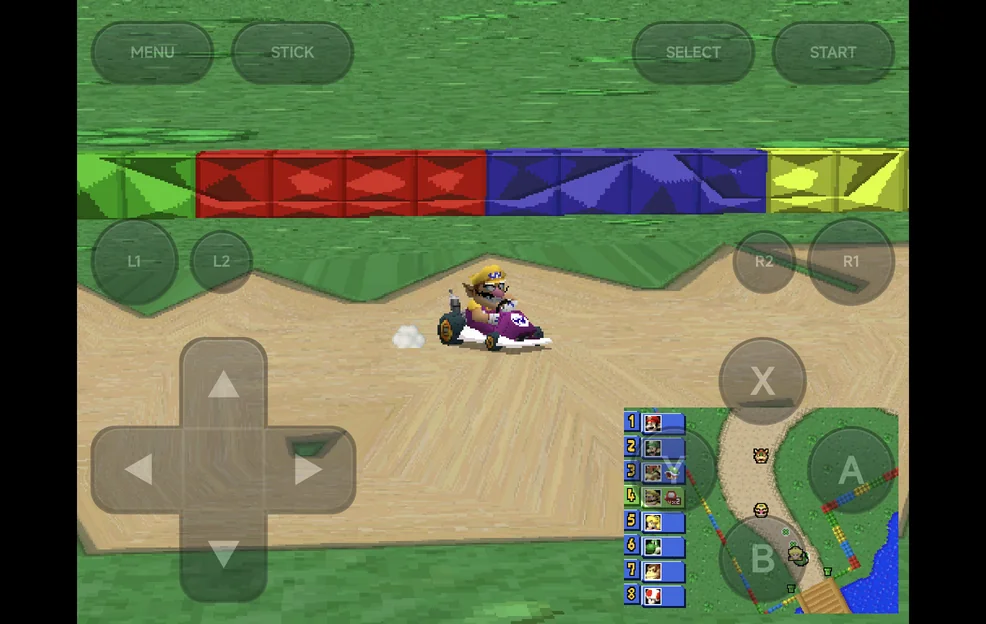
Without a controller, the on-screen buttons sit over the game in landscape. Pad Opacity (landscape) in Options → Frontend sets how opaque they are: 100%, 60%, 40% or 25%, 40% by default.
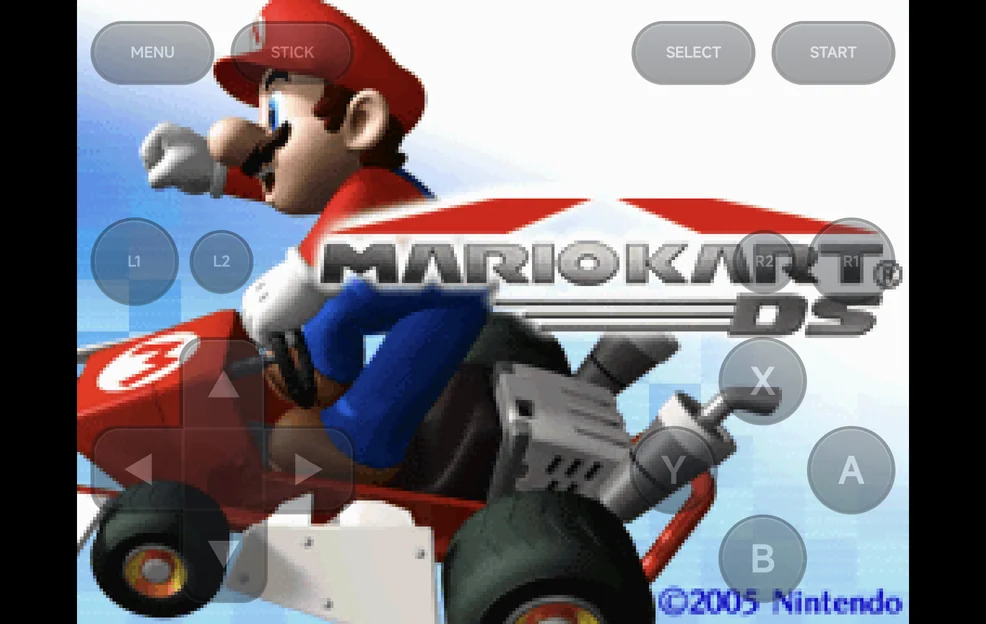
Big screen and inset
These apply in both orientations:
| Option | Values | Default | What it does |
|---|---|---|---|
| Big Screen | Top screen, Bottom screen | Top screen | The screen shown big in picture in picture and single screen, and first in stacked and side by side. |
| Inset Corner | Top left, Top right, Bottom left, Bottom right | Bottom right | Where the small screen sits in picture in picture. |
| Inset Size | Small, Medium, Large | Medium | The small screen's width: 25%, 33% or 40% of the big screen's width. |
| Inset Opacity | 100%, 75%, 50% | 100% | How opaque the small screen is. Below 100%, the big screen shows through it. |
- The small screen in picture in picture never takes touches.
- Overlays are off while the DS screens are drawn apart. The Overlay row shows Unavailable.
- Shader presets apply to the big screen, and to both screens in stacked and side by side.
Hotkeys
With a controller or the on-screen pad:
| Buttons | What they do |
|---|---|
R2 |
Swap the big screen. |
SELECT + LEFT / RIGHT |
Change the layout of the orientation you're in. In portrait this steps through Picture in picture, Stacked and Single screen. |
SELECT + UP / DOWN |
Move the inset to the previous or next corner, clockwise. |
L2 |
Turn stylus mode on or off, or start touch mode (see below). |
A short label shows the new setting. The layout hotkeys (R2 and SELECT +
a direction) are saved straight away, without Save Changes. Stylus mode and
touch mode are not saved.
More detail
Saving a layout hotkey gives the game its own settings, copied from the console's if it had none. From then on the game uses only its own settings. Later Save for console changes don't reach it until you use Restore defaults in that game.
Stylus mode
In stylus mode, the d-pad or left stick moves a pen on the bottom screen,
faster the longer you hold it, and A touches. Stylus mode is off each time a
game starts.
Touch
You can touch the bottom screen whenever it is drawn full size. You can't when it is the small inset in picture in picture.
- Touch works in portrait.
- In landscape it works with a controller, or in touch mode.
- While the on-screen buttons sit over the game in landscape, the DS screens take no touches.
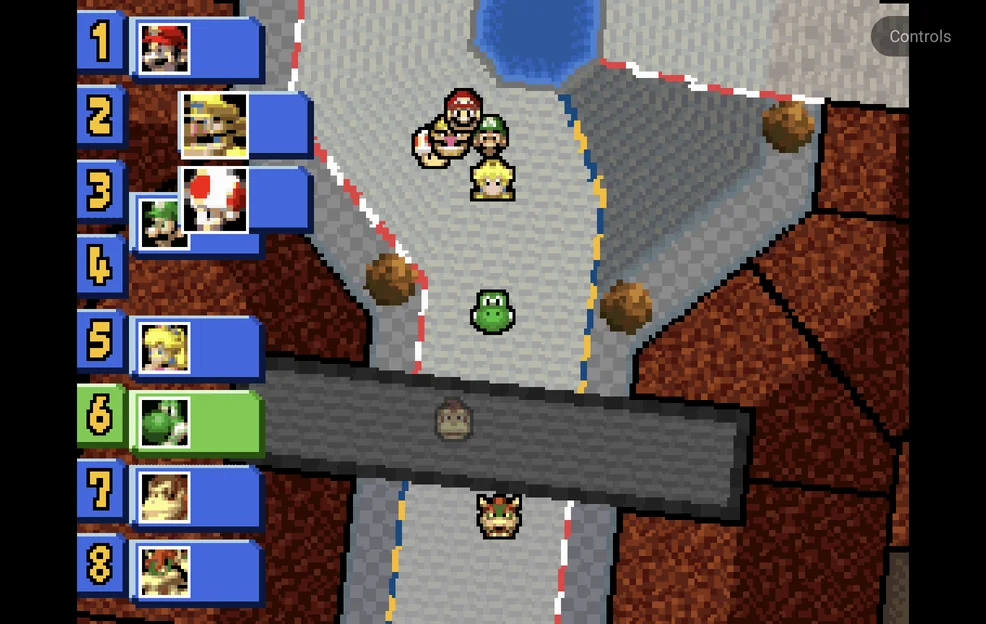
Touch mode: in landscape with the on-screen buttons shown and stylus mode
off, L2 hides the buttons and shows the bottom screen big, so you can touch
it. A Controls button in a free corner brings the on-screen buttons back.
- In single screen and picture in picture, the bottom screen becomes the big one. Side by side already shows it full size.
- Rotating the phone, or connecting or disconnecting a controller, also ends touch mode.
R2does nothing in touch mode, and touch mode is not saved.- With stylus mode on,
L2turns stylus mode off first.
3D rendering
Internal Resolution in Core Options → Video upscales 3D: 1× to 8×, 2× by default. Some games slow down at 4× or higher.
More detail
- 3D renders on the GPU on devices with OpenGL ES 3.2, else in software.
- Internal Resolution works with the GPU renderer only. The 2D layers stay at native resolution.
- A Render Mode change in Core Options applies the next time the game starts, once you keep it with Save Changes.
- If the GPU renderer can't start, the game runs in software and the app shows GPU renderer unavailable — using software once. The next launch tries the GPU again.
Saves from other DS emulators
Battery saves from the older melonDS core and from DraStic carry over
(converted to .srm on a game's first launch). Save
states from the older melonDS core don't load.
More detail
Battery saves from the older melonDS core (.sav) and from DraStic
(.dsv) are converted to .srm on a game's first launch.
Limits
- PlayStation
.exehomebrew doesn't load. - PICO-8 games have no save states, and don't resume where you left off.