Game Boy & Game Boy Advance
Game Boy and Game Boy Color games run on the bundled Gambatte core, Game Boy Advance games on gpSP by default or mGBA, and Super Game Boy games on mGBA. To pick gpSP or mGBA for the Game Boy Advance, see Choosing an emulator.
| Folder | BIOS | File types | |
|---|---|---|---|
| Game Boy | Roms/Game Boy (GB)/ |
Not needed | gb dmg |
| Game Boy Color | Roms/Game Boy Color (GBC)/ |
Not needed | gbc |
| Game Boy Advance | Roms/Game Boy Advance (GBA)/ |
Optional: an open BIOS is built in. A real gba_bios.bin in Bios/GBA/ is used when present. |
gba bin agb gbz u1 |
| Super Game Boy | Roms/Super Game Boy (SGB)/ |
Not needed | gb gbc |
Saves go in Saves/<tag>/, such as Saves/GBA/.
More detail
- gpSP and mGBA share the Game Boy Advance's battery saves. Save states stay per emulator.
- gpSP plays the Game Boy Advance's sampled sound as the hardware does, so music sounds the same on gpSP and mGBA, at the same volume.
- A Classic NES Series cart, such as Pac-Man, doesn't run on gpSP: its first launch moves it to mGBA. See Choosing an emulator.
Controls
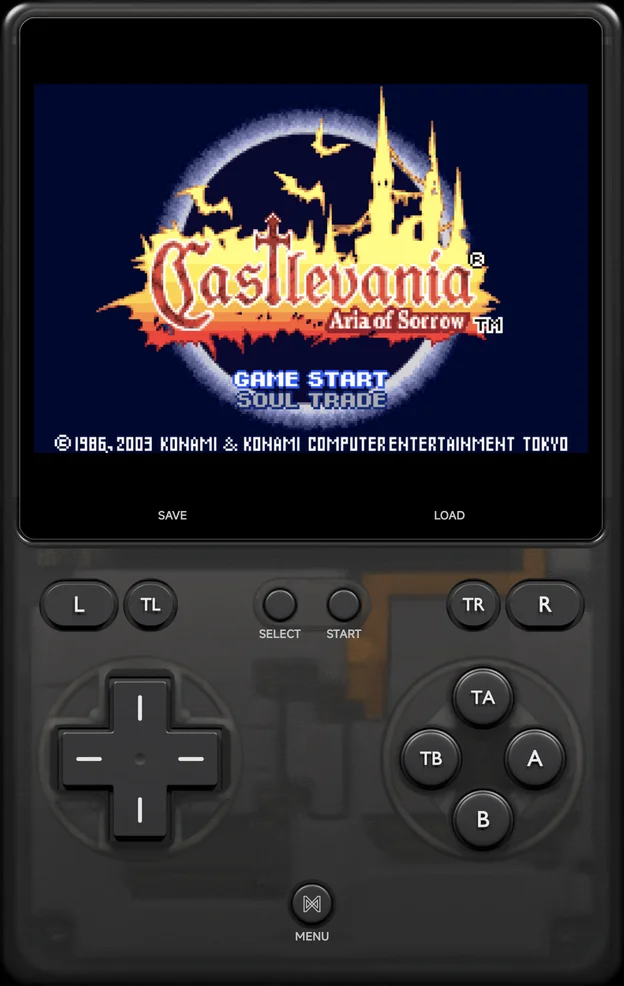
A controller's face buttons work by the printed letter: A is the Game
Boy's A. On top of the Game Boy's own buttons:
| Control | What it does |
|---|---|
X, Y |
Turbo A, Turbo B |
L2, R2 |
Turbo L, Turbo R (mGBA and Super Game Boy only) |
The on-screen pad marks them TA, TB, TL and TR.
Link cable
Game Boy, Game Boy Color and Game Boy Advance games link with another phone or an NX Redux handheld over Netplay, for trades and versus battles. Each player keeps their own save. See Netplay → Game Boy Advance link.
| Tag | Links over |
|---|---|
GB, GBC |
Wi-Fi or the USB Cable |
GBA (gpSP) |
Wi-Fi (as the wireless adapter) or the USB Cable (as a real link cable) |
MGBA (mGBA) |
Wi-Fi for games with a Wi-Fi mode (wireless adapter, Pokémon, Advance Wars), otherwise the USB Cable |
GBA and MGBA, two phones |
Cable Link over Wi-Fi: a real link cable for any two-player cable game |
SGB |
No link play |
gpSP and mGBA can link with each other when both games use the same Wi-Fi mode. Both emulators have a Link Cable Connectivity option that picks the link mode: leave it on its default unless Netplay says otherwise.
More detail
- gpSP's Link Cable Connectivity is Automatic by default. Its other values are GBA Wireless Adapter, the Pokémon and Advance Wars cable modes, Link Cable - Real (USB only) and Disabled.
- mGBA's is in Settings → Emulation → Default settings → mGBA → Input & Auxiliary Devices, and applies when a game starts.
- The Cable Link settings (Input delay, Delay overlay and Clear link ROM cache) are at the end of mGBA's page there.
Cheats and achievements
- Cheats: the cheat download has codes for Game Boy, Game Boy
Color and Game Boy Advance games, or add your own
.chtfiles. - RetroAchievements works for all of them, including Super Game Boy games (as Game Boy).