Cheats
NX Redux can load libretro cheat files for your games. Setup takes two steps, all on the device with no computer:
- Install the small Cheat Database tool from the Xtras Store.
- Open it from Tools and download the cheat files.
Then turn individual cheats on and off from a game's in-game menu.
Installing the Cheat Database tool
- Open Tools → Xtras.
- Press
Rightto switch to the TOOLS tab. - Select Cheat Database.
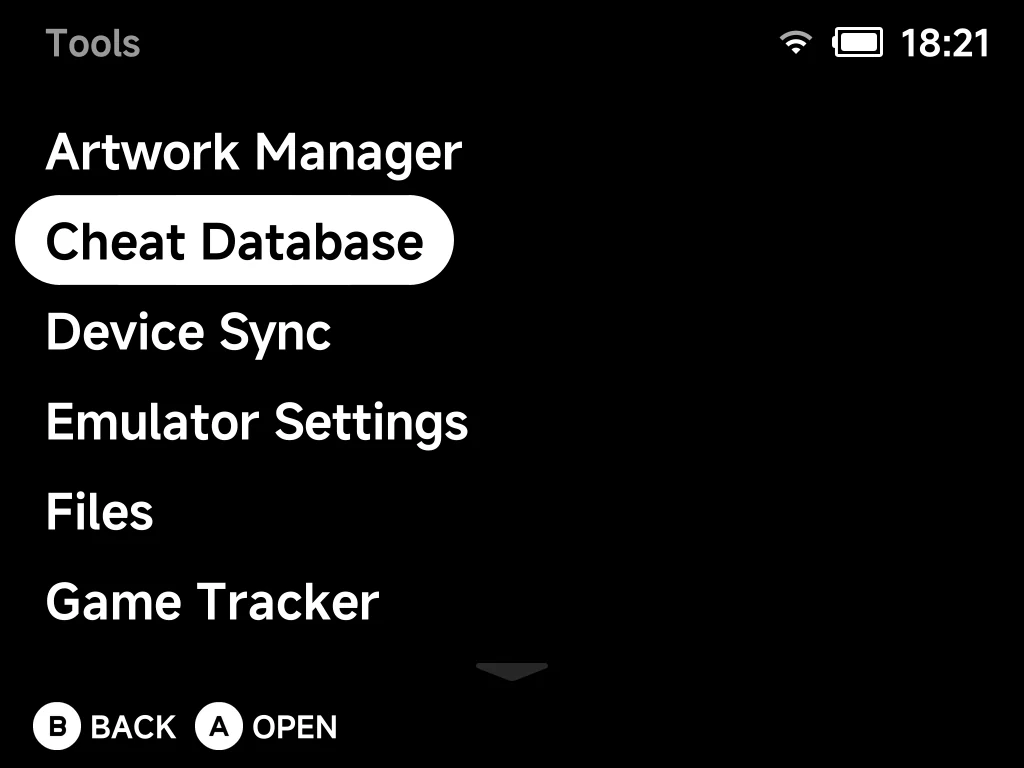
When it finishes you'll see "Installed. Open Cheat Database in Tools to download the cheats." The entry moves to the Installed group in Xtras, and Cheat Database appears in your Tools menu:
Note
This installs a small tool (about 1 MB). It does not download the cheats yet. That happens on demand from inside the tool.
Downloading the cheats
- Open Tools → Cheat Database.
- The first time, the menu offers one choice: Download cheat database. Select it.
- A progress bar advances system by system as it installs.
- When it finishes you'll see "Done. Open a game and see Options > Cheats."
You need about 256 MB free on the SD card.
One download, every system
A single download covers every supported system at once. You don't grab cheats per game or per console. Come back to the tool later to update them.
More detail
The tool downloads the libretro cheat collection (~37 MB) and unpacks it onto the SD card. It takes about 185 MB once extracted (you'll need ~256 MB free).
Keeping things up to date
There are two separate kinds of update, from two places:
| What to update | Where | How |
|---|---|---|
| The cheat files (data): new or corrected cheats | Inside the tool | Open Tools → Cheat Database → Check for updates. It checks libretro's latest release and re-downloads if it's newer. Otherwise it reports "Cheat database is up to date." |
| The Cheat Database tool itself (code): its menus and behaviour | The Xtras Store | Update it like any other tool. Xtras labels the entry when a new version is available, and a NX Redux system update refreshes it automatically |
Using cheats in a game
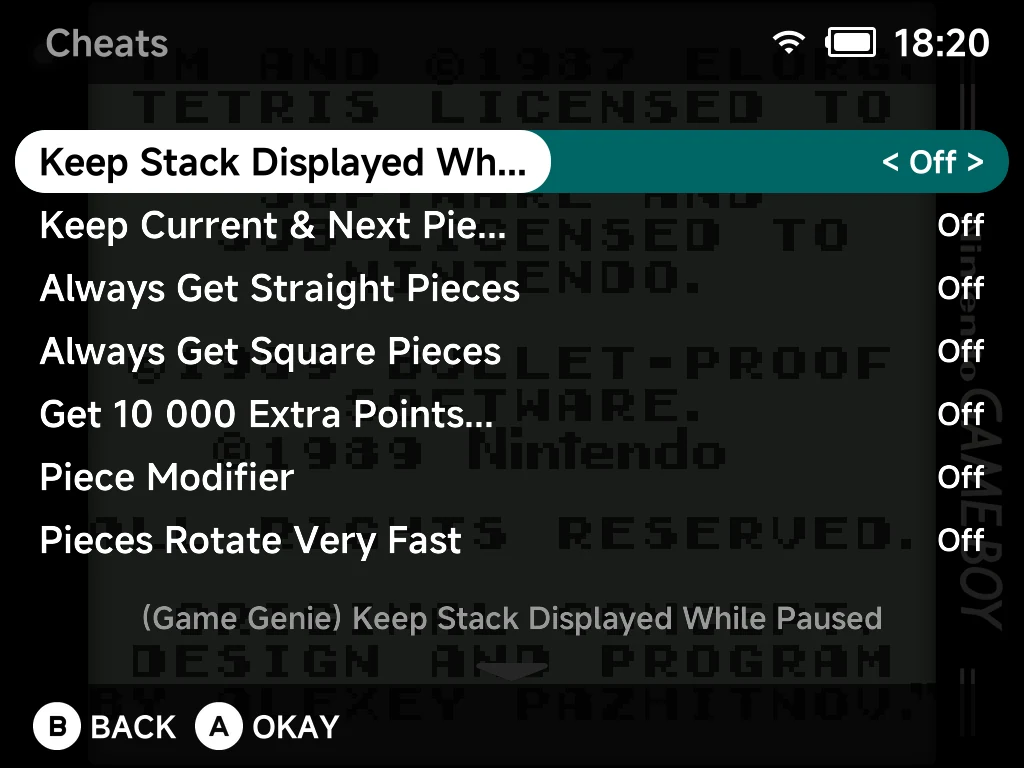
- Launch a game on a built-in emulator core.
- Press
MENUto open the in-game menu and choose Options (see Emulator Options). - Choose Cheats.
- Toggle any cheat
OnorOff. Changes apply immediately while you play. Each entry carries a short description you can read from the list.
If no cheats are found for the game, the menu tells you so. It points you to Tools > Cheat Database to download them.
Variants are merged automatically
Some games have cheat sets from several sources (Game Genie, GameShark,
Code Breaker, Action Replay). NX Redux loads all of them for the
current game and merges them into one list. Each cheat is tagged with its
source (for example [GameShark]) so you can tell them apart.
RetroAchievements hardcore mode blocks cheats
If RetroAchievements hardcore mode is active, cheats cannot be enabled. Trying to toggle one shows "Cheats disabled in Hardcore mode" and the switch snaps back off. This keeps hardcore runs legitimate. Leave hardcore mode to use cheats.
DS and N64
Built-in cores only, for now
Cheats take effect on the built-in libretro cores (Game Boy, GBA, NES, SNES, Mega Drive, PlayStation, Dreamcast, and the like). They don't take effect yet on Nintendo DS or Nintendo 64.
The Cheat Database still delivers files for these two systems. You'll
find them under Cheats/NDS/ and Cheats/N64/. They are shipped for future
use.
More detail: why they don't work yet
Nintendo DS and Nintendo 64 run on standalone emulators (DraStic
and mupen64plus). These use their own native cheat formats and don't read
these libretro .cht files.
Where the files go
Cheats are stored as loose .cht text files on the SD card, one folder per
system, under Cheats/.
More detail
Example paths:
/mnt/SDCARD/Cheats/GBA/Advance Wars (USA, Europe) (Code Breaker).cht
/mnt/SDCARD/Cheats/SFC/...
/mnt/SDCARD/Cheats/FC/...
Each Cheats/<system>/ folder uses the same short system tag as your
Roms folders (GBA, SFC, FC, GB, GBC, MD, PS, and so on).
That's how the right cheats are matched to the right games automatically.
Removing cheats and hand-made cheats
Write your own cheats: drop a <Game Name>.cht file into the matching
Cheats/<system>/ folder. It is picked up and merged with the downloaded ones,
like any other cheat file.
Remove the downloaded database: there are two ways, and both always keep
your hand-made .cht files.
| Where | What it removes |
|---|---|
| Tools → Cheat Database → Remove cheat database | Only the files it downloaded. The tool stays installed so you can download again later. You'll see "Cheat database removed. Hand-made cheats kept." |
| Uninstall Cheat Database from Xtras | The tool and its downloaded cheat files, in one step |
You can safely install, download, remove and reinstall without losing your own cheats.
More detail
Both ways keep a record of exactly what was downloaded and delete only
that. Any Cheats/<system>/ folder that still holds one of your own files
is kept as well.